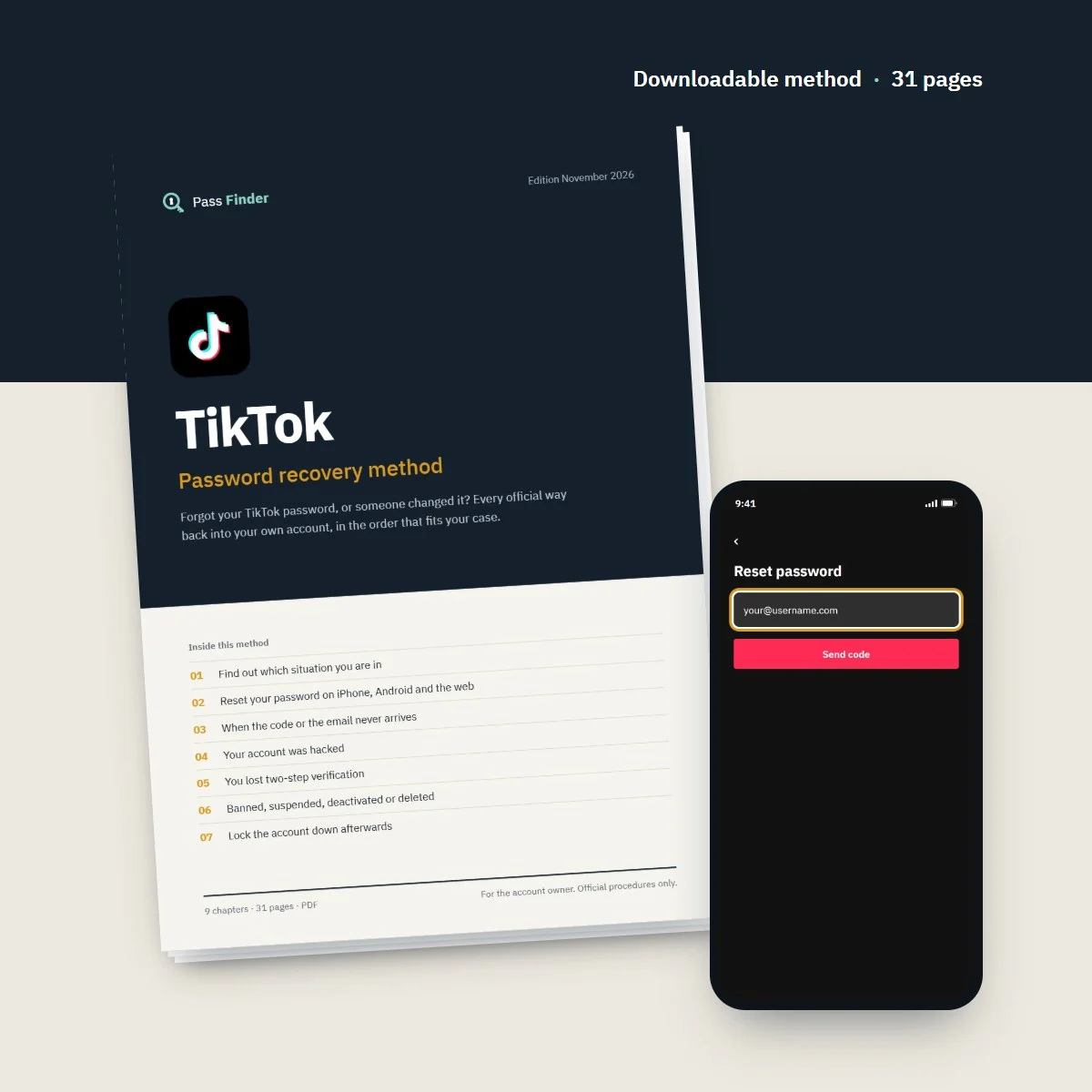

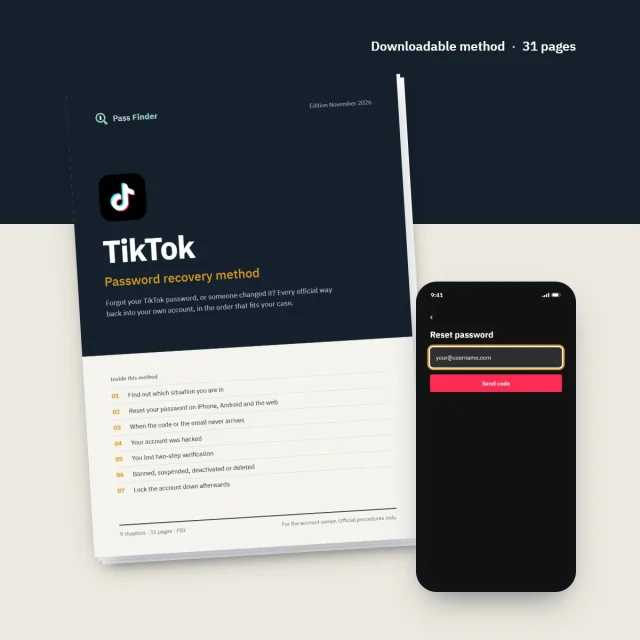
TikTok Password Recovery Method
Forgot your TikTok password, or someone changed it? Every official way back into your own account, in the order that fits your case.
- A diagnosis that sends you to the right password route first
- Exact steps for iPhone, Android and tiktok.com
- Ready-to-send messages for Support and appeals
- A lock-down routine so it doesn't happen again
- Instant download
- Secure card payment
- 14-day refund if it does not fit your case
For the account owner only. Every method uses the platform’s official tools.
- Format
- PDF document (A4), opens on phone, tablet and computer
- Language
- English
- Delivery
- Download link right after payment, also sent by email
- Updates
- Free updated versions for 12 months
Which situation are you in?
Each case has its own route. The method covers all of them, with the exact screens and the messages to send.
I forgot my password
The standard reset by email or phone takes a few minutes. Chapter 2 of the method walks through it on every device.
The reset code never arrives
Spam folders, typos, carrier filters and attempt limits are the usual culprits. Chapter 3 checks them in order.
Someone changed my email or number
A hacked account needs more than a password reset: trusted devices, friends verification or a recovery request. Chapter 4.
I lost my authenticator app
The recovery code shown at setup, or TikTok's identity check that can take up to 30 days. Chapter 5.
My account was banned
How to appeal from the ban notice, what to write and what to avoid. Chapter 6.
I deactivated or deleted it
Reactivating is simple, a deletion has a limited window. Chapter 6 of the method explains both and the limits.
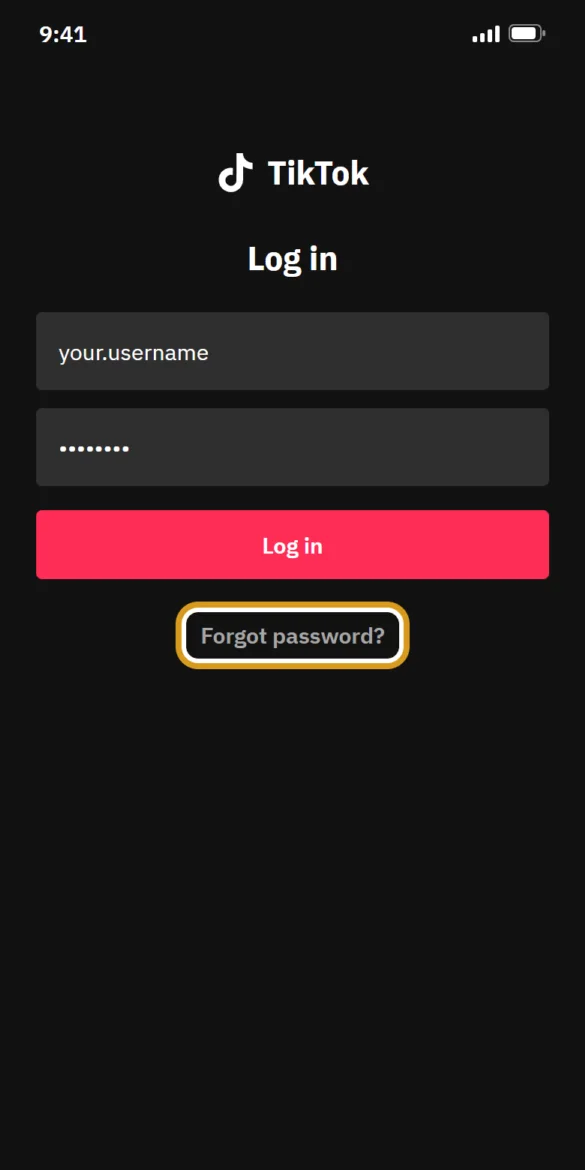
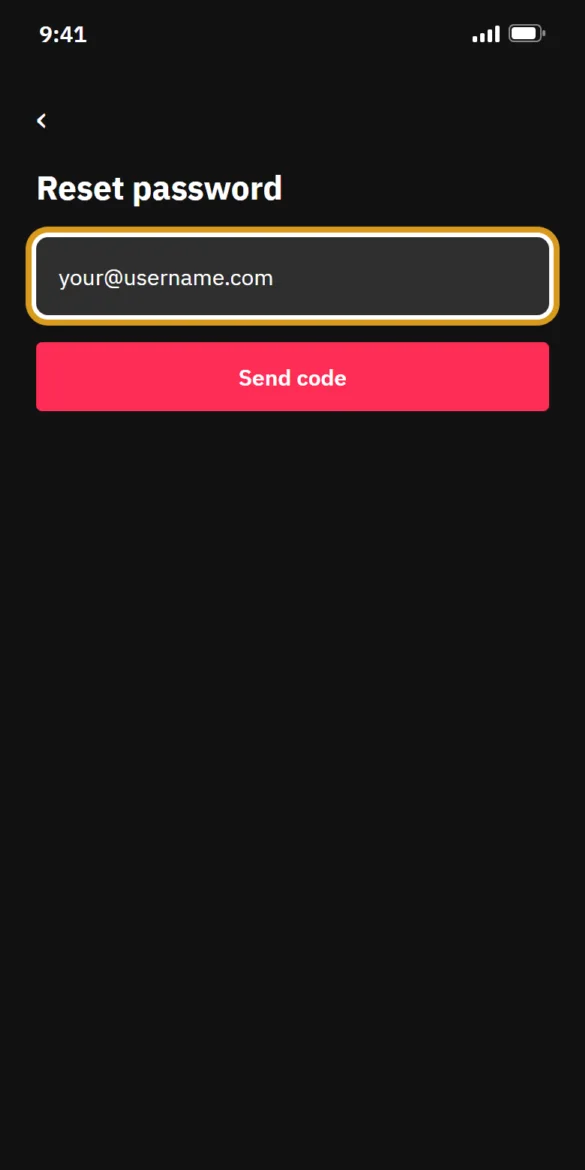
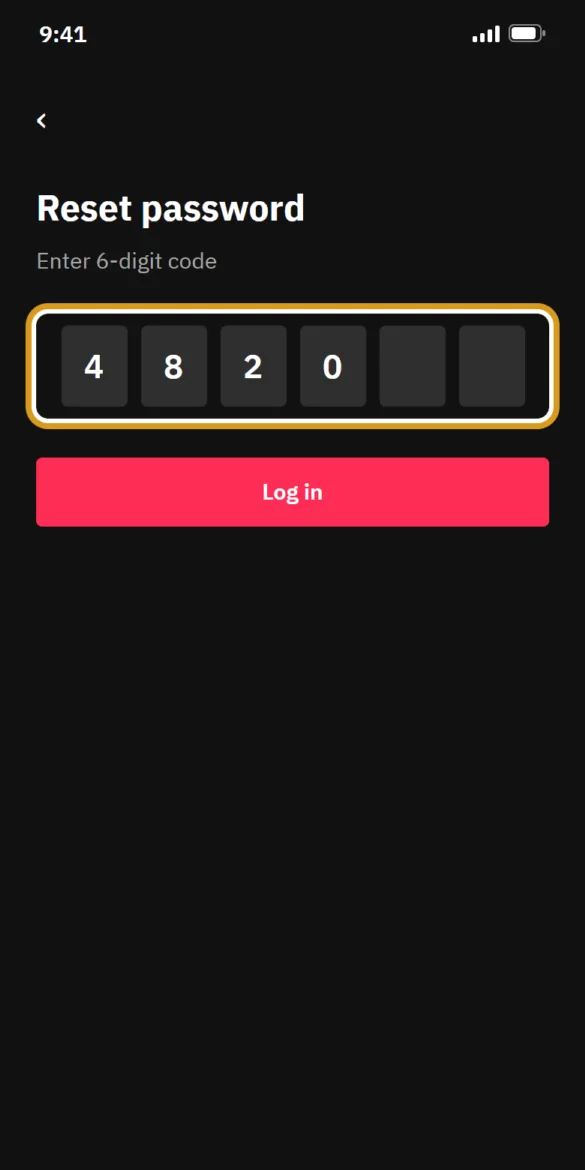
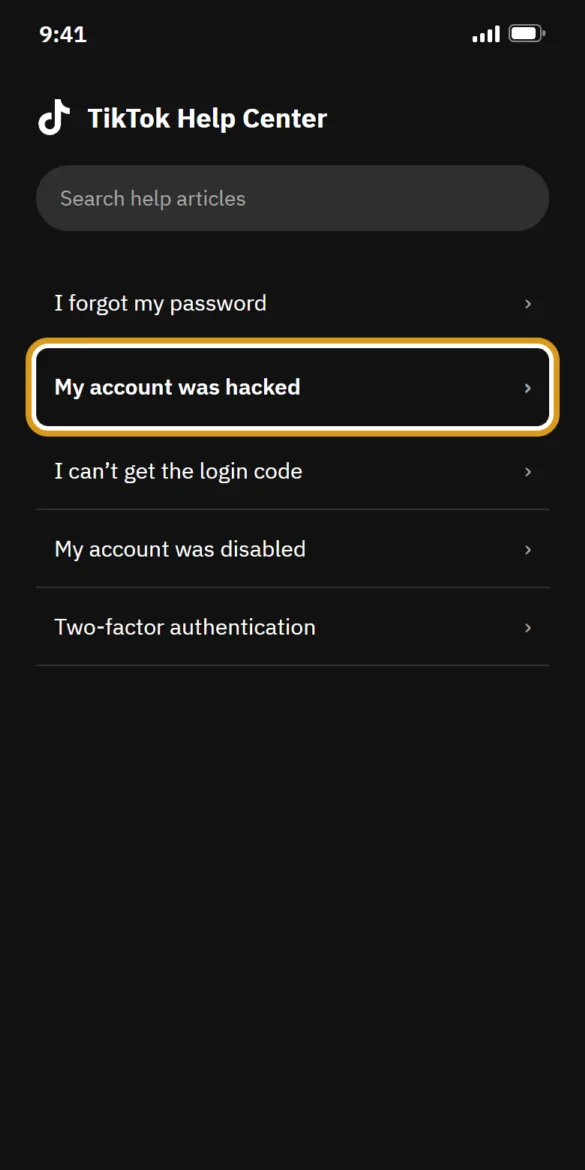
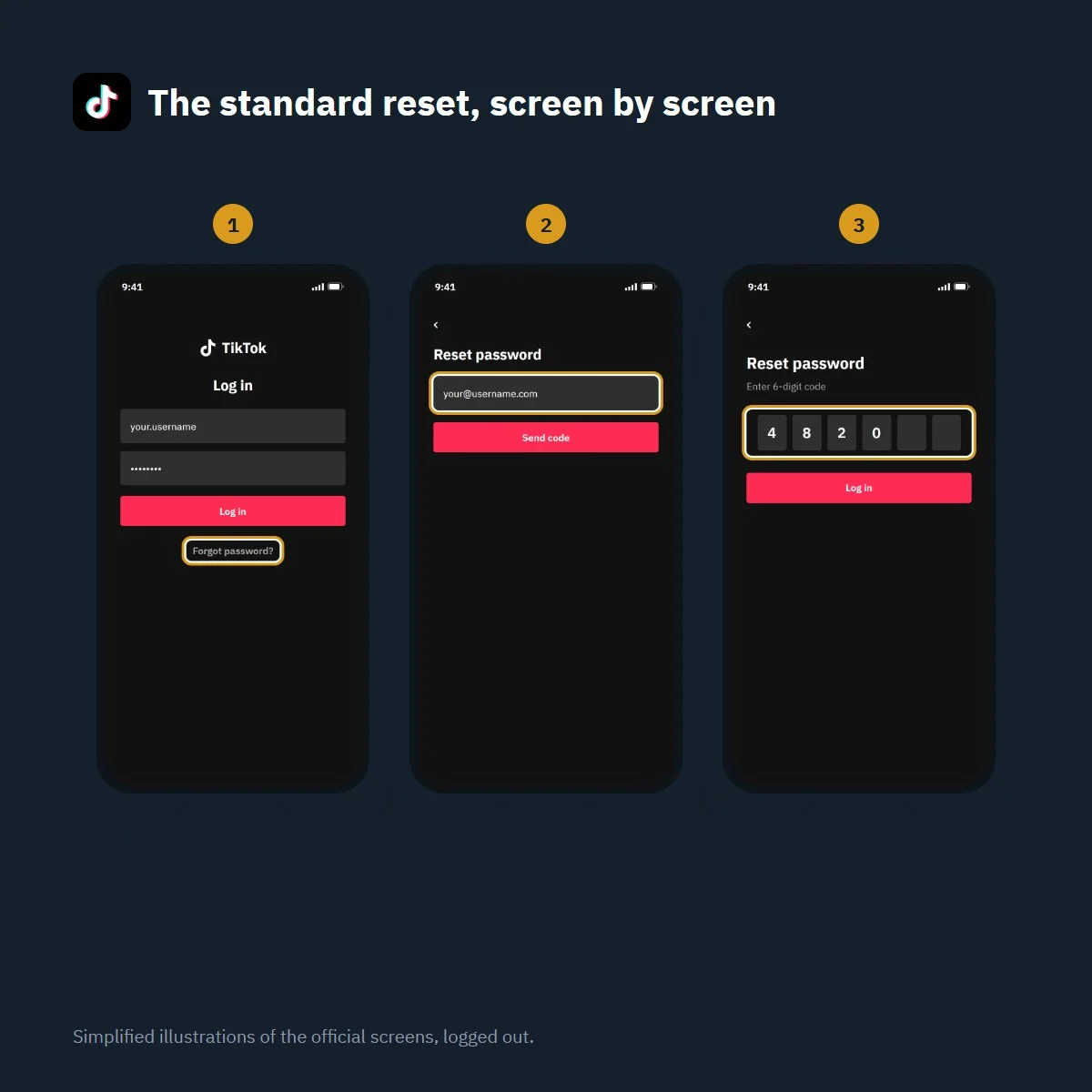
Forgot your TikTok password? The reset in four steps
Simplified illustration of the official screens, logged out. Labels may vary slightly with app version.
What’s inside the method
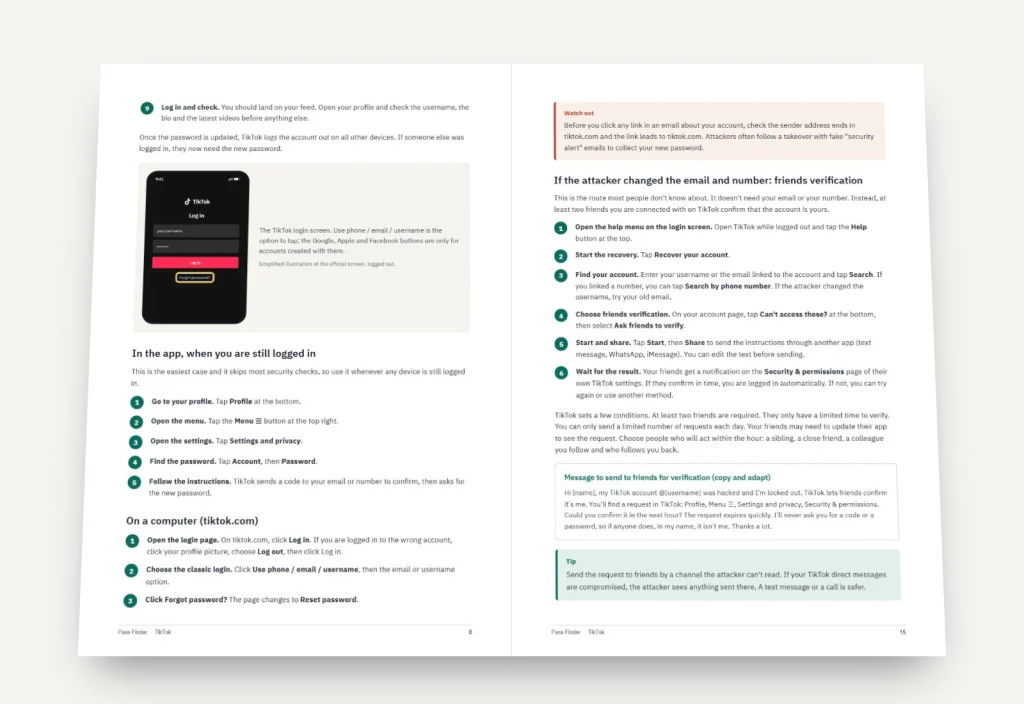
9 chapters, 31 pages. Each chapter ends with a checklist so you know where you stand.
-
01
p. 4
Find out which situation you are in
Six quick checks that tell you which recovery route to start with and which ones to skip.
-
02
p. 7
Reset your password on iPhone, Android and the web
The standard reset with every screen and label, plus accounts created with Google, Apple or Facebook.
-
03
p. 11
When the code or the email never arrives
A step-by-step check of spam filters, typos, carrier blocks, attempt limits and how long to wait.
-
04
p. 14
Your account was hacked
Trusted devices, friends verification, the account recovery request and what to send TikTok Support.
-
05
p. 19
You lost two-step verification
Authenticator recovery codes, trusted devices and TikTok's identity check that can take up to 30 days.
-
06
p. 22
Banned, suspended, deactivated or deleted
Appeals from the ban notice, account status, reactivation and the hard limits of deletion.
-
07
p. 25
Lock the account down afterwards
Passkeys, 2-step verification, security checkup, devices, alerts and connected apps, in the right order.
-
08
p. 27
Recovery scams to avoid
Fake recovery experts, fake TikTok messages and paid services, and how to recognise them quickly.
-
09
p. 29
If nothing worked
Follow-ups, realistic waiting times, and how to start again cleanly and tell your followers.
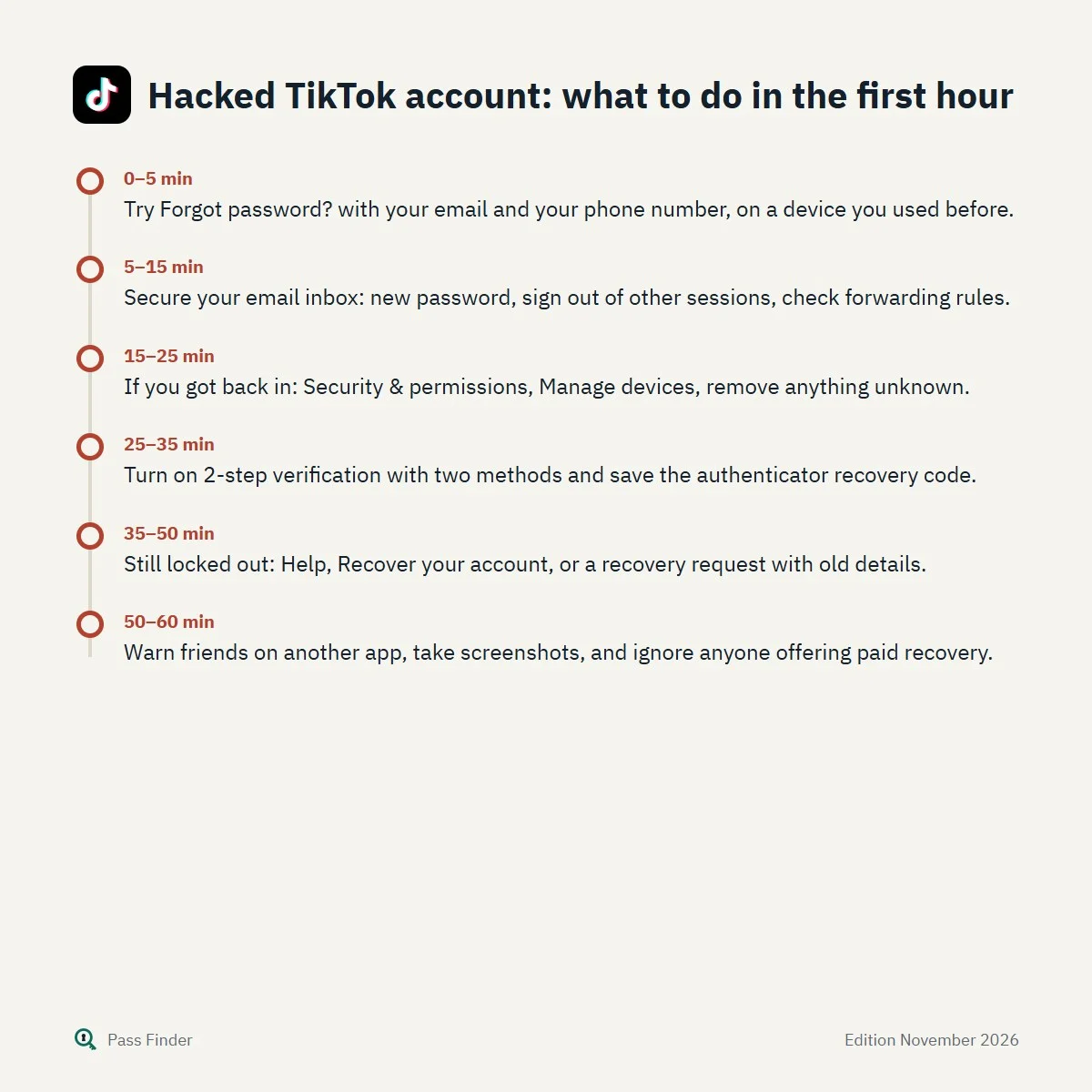
Hacked TikTok account: what to do in the first hour
- 0–5 minTry Forgot password? with your email and your phone number, on a device you used before.
- 5–15 minSecure your email inbox: new password, sign out of other sessions, check forwarding rules.
- 15–25 minIf you got back in: Security & permissions, Manage devices, remove anything unknown.
- 25–35 minTurn on 2-step verification with two methods and save the authenticator recovery code.
- 35–50 minStill locked out: Help, Recover your account, or a recovery request with old details.
- 50–60 minWarn friends on another app, take screenshots, and ignore anyone offering paid recovery.
Losing access to a TikTok account feels sudden. One day the app opens straight onto your feed, the next it asks for a password you never typed because you stayed logged in for three years, or it tells you the device is not recognised, or a hacked account now shows your username posting crypto giveaways to your followers. Your videos, drafts, messages and the audience you built are all on the other side of that screen. The good news is that you can usually recover your TikTok account: TikTok has more official routes than most people know about, from a password reset code by email or text to resets from a trusted device, verification by friends, a reviewed recovery request and appeals for banned accounts.
The catch is that each route only works in specific situations, and picking the wrong one first wastes days and reset attempts. This page explains the main free password reset in detail, the reasons it fails, and how to tell which situation you are in, so you start with the route that fits. Everything here relies on TikTok’s own tools and help pages as they stand in November 2026, and it is meant for the owner of the account, nobody else.
First, work out what kind of lockout you have
Before you tap anything, spend two minutes on a diagnosis. The right method depends less on what went wrong than on what you still have access to.
- You forgot the password but your email or phone number is still on the account. This is the easy case. The standard reset below takes a few minutes.
- You tap Forgot password? but the code never comes. Usually a spam filter, a typo in the address, an old number, or too many attempts in a short time. Fixable, but it needs patience.
- The reset fails with an “unrecognized device” message. You have 2-step verification turned on and you are using a phone or browser that never logged in to this account. You need a trusted device or a recovery request.
- Someone else changed your email, phone number or username. The account was taken over. Resets go to the attacker’s details, so you need the hacked-account routes.
- You signed up with Google, Apple or Facebook. There may be no TikTok password at all. The fix happens on the provider’s side.
- A banner says the account is banned or suspended. No password reset will change that. Only an appeal can.
- You deleted or deactivated the account yourself. Deactivation is reversible at any time. Deletion is reversible only for a limited period.
Not sure how you created the account? Search your inboxes for “TikTok” and sort by oldest: the first message shows which address was used. If no inbox has one, you probably signed up with a phone number or a Google, Apple or Facebook button.
The standard TikTok password reset in the app
On iPhone and Android the steps are the same. TikTok’s help centre describes them this way when you are logged out:
- Open TikTok and tap Sign up if the app shows a sign-up screen, then Log in at the bottom of the page.
- Select Use phone / email / username.
- Choose the Email / Username tab.
- Tap Forgot password?
- Choose to reset with your Phone number or your Email, enter it, and type the 6-digit code you receive.
- Choose a new password. Make it one you have never used on any other site.
Once the new password is saved, TikTok logs the account out on every other device. That detail matters if you suspect someone else was using it: changing the password is also the fastest way to kick them out.
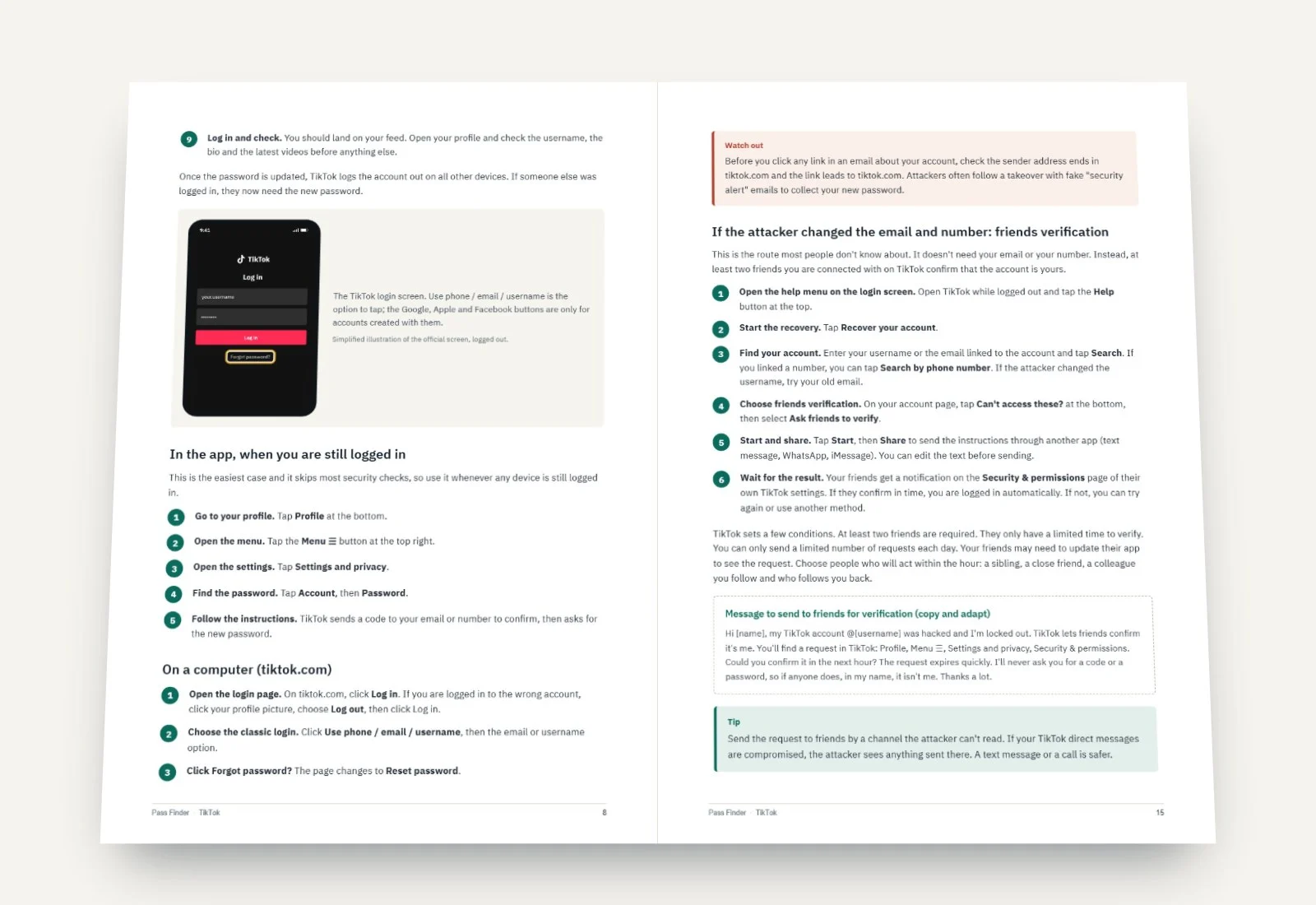
If you are still logged in somewhere (an old phone, a tablet, a work laptop) and simply want a new password, go through Profile, the Menu ☰ button at the top, Settings and privacy, Account, then Password. Doing it from a device that is already logged in avoids most of the checks that block resets elsewhere.
On a computer
On tiktok.com, click Log in, choose Use phone / email / username, then the email or username option, and click Forgot password?. You can also go straight to the TikTok password reset page. It shows an Email address field, an Enter 6-digit code field with a Send code button, and a link Reset with phone number if you would rather use your number.
Why the reset code doesn’t arrive
This is the most common complaint, and it is rarely a TikTok outage. Go through these causes in order, because the first ones explain most cases.
The email went to spam, promotions or another tab. Search your whole mailbox, spam included, for “TikTok” and “code”. Gmail sometimes files these messages under Updates or Promotions.
You are checking the wrong address. Many people signed up with an inbox they no longer open. Watch for typos too: a missing letter creates a different, valid address, and TikTok will send codes to it.
The phone number is old, or written differently. Check the country code: a UK number entered as 07… instead of +44 7… may never receive anything. If you changed numbers, the old one is useless unless you still have that SIM.
Your carrier or phone is filtering the text. Messages from short codes often land in a separate folder: Messages filters on iPhone, spam and blocked on Android. Weak signal also delays texts, sometimes by hours.
You asked too many times. Each tap on Send code starts a short countdown before you can ask again, and after several requests TikTok stops sending for a while and may show a message about too many attempts. TikTok does not publish the exact limit or the length of the pause. In practice, stop, wait several hours (ideally until the next day), and try once with the method you are surest about.
Only the latest code is valid. If you tapped Send code three times and three messages arrived, use the newest one. Older codes are rejected, which makes people think the code itself is wrong.
When the reset is blocked: “unrecognized device”
TikTok shows this error when 2-step verification is on and you try to reset the password from a device or browser that never logged in to the account. It looks like a bug, but it is deliberate: it stops anyone who has stolen your email from also taking your TikTok. TikTok offers two ways round it.
The first is to reset from a trusted device, any phone, tablet or computer where you logged in to this account before. An old phone in a drawer counts if it still opens TikTok.
The second is to recover the account. On the login screen, tap Forgot password?, then Recover account, and follow the identity steps. You may be asked for the registered email, the phone number or previous passwords. A Support team member reviews the request and replies. There is no published delay, and it can take days.
Hacked account: how to recover your TikTok account
The signs TikTok lists are clear: the password or phone number changed without you, the username or nickname is different, videos were deleted or posted without you, or messages you never wrote went out from the account. Another sign people miss: TikTok may log you out when someone is removing devices from the account settings. If you were logged out for no reason, assume someone is in.
Act in this order. First, if you are still logged in anywhere, change the password immediately from Settings and privacy, Account, Password. That logs out every other device, including the attacker’s. Then open Security & permissions, Manage devices, and delete every device you don’t recognise. Then secure your email account, because an attacker who controls your inbox can simply reset TikTok again.
If you are fully locked out and the attacker changed the email or number, TikTok has two routes that don’t depend on those details. One is friends verification: from the login screen, tap the Help button at the top, then Recover your account, search for your username or email, tap Can’t access these? and select Ask friends to verify. At least two friends you are connected with on TikTok must confirm, within a limited time, from the Security & permissions page of their own app. The other is the recovery request described above, where you prove ownership with old details.
You can also contact TikTok Support directly. In the app, go to Settings and privacy, Help Center, then Chat with us (this needs a logged-in account, so a friend’s phone is no use here). Without an account, use TikTok’s online support form, which now opens the TikTok Support portal. Be factual: your username with the @, the email and number that were on the account before, when you lost access, and what changed.
TikTok will never contact you to ask for your password or a verification code. Anyone who messages you on TikTok, Instagram, Telegram or by email offering to “restore” your account, even if they claim to work for TikTok, is trying to scam you. Only TikTok’s own Support team can act on your account.

Which method fits what you still have
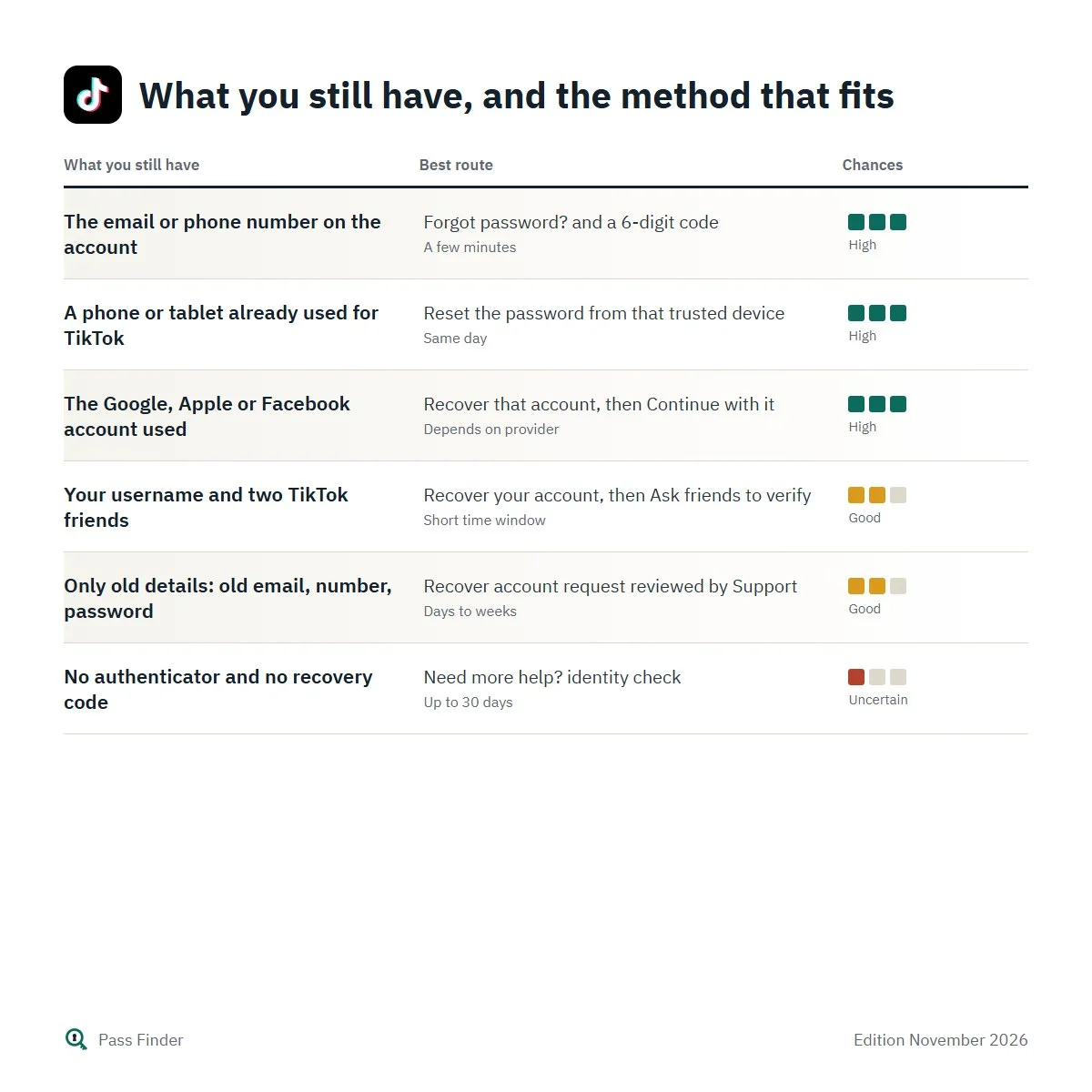
The quickest way to choose is to look at what you can still access, not at what went wrong. The chart below matches the most common situations with the method that usually works and the time it tends to take.
What you still have, and the method that fits
| What you still have | Best route | Typical delay | Chances |
|---|---|---|---|
| The email or phone number on the account | Forgot password? and a 6-digit code | A few minutes | High |
| A phone or tablet already used for TikTok | Reset the password from that trusted device | Same day | High |
| The Google, Apple or Facebook account used | Recover that account, then Continue with it | Depends on provider | High |
| Your username and two TikTok friends | Recover your account, then Ask friends to verify | Short time window | Good |
| Only old details: old email, number, password | Recover account request reviewed by Support | Days to weeks | Good |
| No authenticator and no recovery code | Need more help? identity check | Up to 30 days | Uncertain |
Two of these routes deserve a word of caution. Friends verification only works if you have at least two real mutual connections who will act quickly, and you can only send a limited number of requests per day. The identity check for a lost authenticator app is the slowest route of all: TikTok itself says it can take up to 30 days.
This is the point where our method earns its place. The free help pages describe each tool in isolation. The Pass Finder TikTok password recovery method puts them in the right order for your case, gives you ready-to-adapt messages for Support chats, recovery requests and ban appeals, explains what each reply from TikTok means, and tells you how long to wait before following up.
Lost 2-step verification, banned accounts and deleted accounts
2-step verification
TikTok’s 2-step verification asks you to pick at least two methods among phone, email, an authenticator app and your password. If you lose access to the authenticator app (new phone, factory reset, deleted app), tap Can’t access the app at the verification prompt and enter the recovery code you received when you set up the authenticator. If you no longer have that code, tap Need more help? and complete the identity information TikTok asks for. Once your identity is verified you can reset the method, but TikTok warns this can take up to 30 days.
Banned or suspended
When TikTok bans an account it shows a banner the next time you open the app. If you think it is a mistake, open that notification, tap Appeal and follow the instructions. Your account status (Healthy, Fair, Severe or Banned) reflects violations from the last 90 days, and violations expire after 90 days. A banned account can still log in to appeal and to download its data, but TikTok deletes personal data after a period set by its retention policy, so don’t wait months. TikTok’s page on content violations and bans lists the reasons for permanent bans; some, such as being under the minimum age or severe violations, are rarely reversed.
If your account was banned because a hacker posted content, say so in the appeal, briefly, with the date you lost access. Do not create a new account to get around a ban: TikTok treats that as ban evasion and can ban the new account too.
Deactivated or deleted
A deactivated account is simply on hold. Log in with the same details as before and tap Reactivate. A deleted account is different. TikTok has long described a 30-day period after a deletion request during which the account is deactivated and logging back in can still restore it. Once that period has passed, the account and its data are gone, and nothing in this method or anywhere else will bring it back.
One related surprise: TikTok may reset the username of an account that has not been used for 180 days or more to a random numeric one. The account itself is not deleted, but your old handle may no longer find it. Search by email or phone number instead.
Accounts created with Google, Apple or Facebook
If you joined with Continue with Google, Continue with Apple or Continue with Facebook, TikTok’s help centre is explicit: the password must be reset on that platform. TikTok cannot send you a reset link for a password it doesn’t hold. Recover your Google, Apple or Facebook account first, using that company’s own recovery page, then come back to TikTok and tap the same button you used at sign-up. Choosing a different button creates a brand-new, empty TikTok account, which is why some people think their profile has vanished.
With Apple’s “Hide My Email”, TikTok only holds a relay address ending in privaterelay.appleid.com, which forwards mail only while that Apple ID and relay are active.
What the method adds to TikTok’s help pages
The steps on this page solve the simple cases. TikTok’s help centre explains each tool on its own page, but it does not tell you which one to try first when the password reset fails, how long to wait after “too many attempts”, or what to put in a recovery request so that the person reviewing it can match you to the account. The method covers that ground: the complete hacked-account sequence in order, the 2-step verification fallbacks, the details to gather before you write to Support, factual ban appeals, the scams that target people in this situation, a lock-down routine with a new password and passkey, and a plan for when nothing has worked, including how to restart cleanly and tell your followers. Each step is checked against TikTok’s official help pages and its logged-out screens, and reviewed when TikTok changes its procedure.
Pass Finder has no access to TikTok’s systems. What we offer is a clear order of operations and the right words at each step. If your password reset has failed or someone else is now in your account, download the TikTok Password Recovery Method, keep it open next to the app, and start with the six checks in Chapter 1.
Questions about this method
Other methods
Pass Finder is an independent publisher. We are not affiliated with, endorsed by or sponsored by Meta Platforms, Snap Inc., TikTok or X Corp. Platform names and logos belong to their owners and only identify the service each method is about.