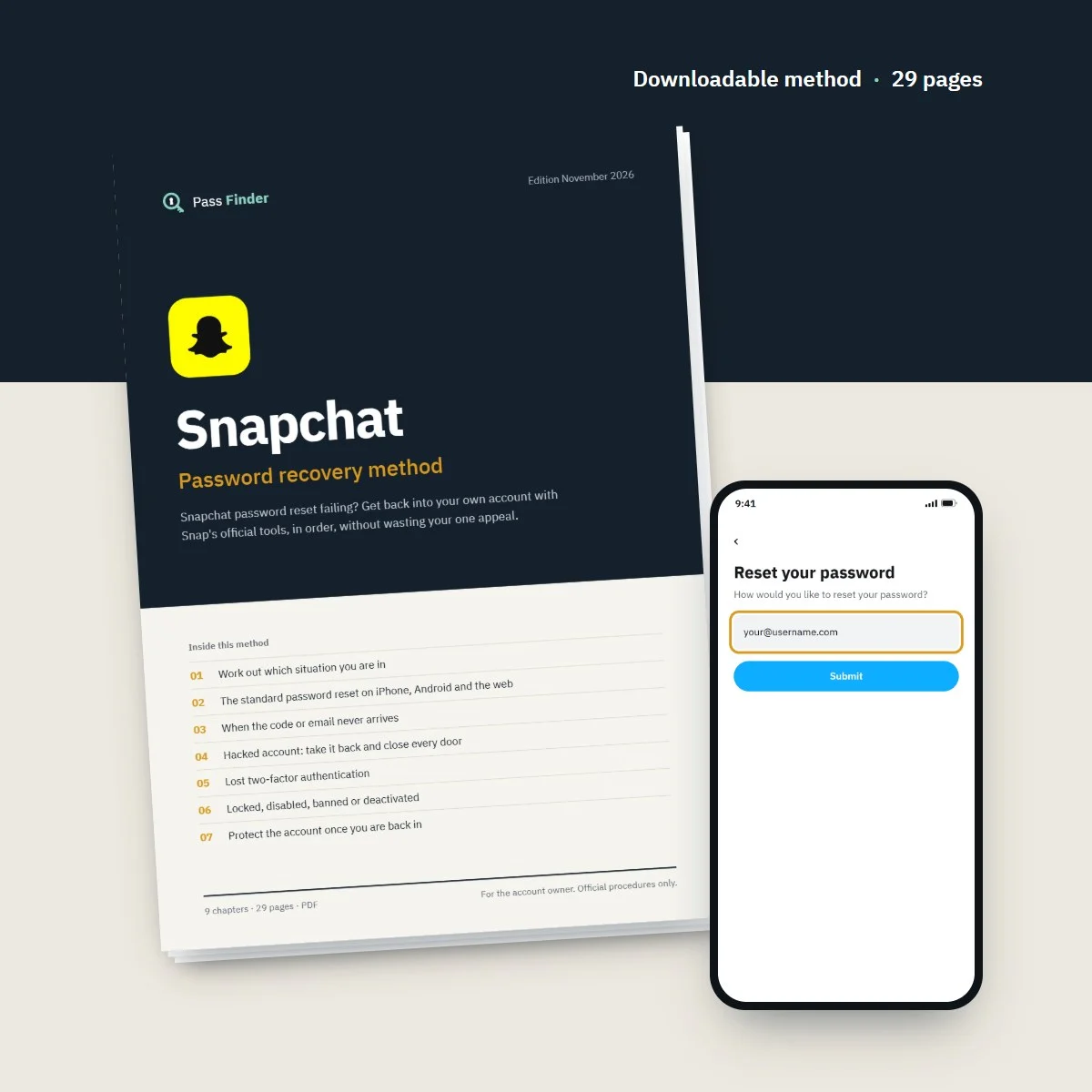
Snapchat Password Recovery Method
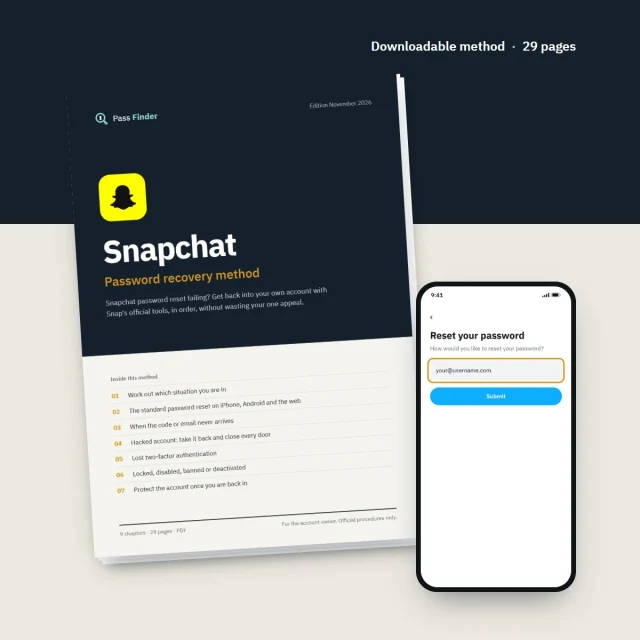
Snapchat password reset failing? Get back into your own account with Snap's official tools, in order, without wasting your one appeal.
- Password reset by email or SMS on iPhone, Android and the web
- Hacked account: the first hour, minute by minute
- Lost 2FA phone: recovery code and what to do without one
- 7 ready-to-send messages for support, appeals and friends
- Instant download
- Secure card payment
- 14-day refund if it does not fit your case
For the account owner only. Every method uses the platform’s official tools.
- Format
- PDF document (A4), opens on phone, tablet and computer
- Language
- English
- Delivery
- Download link right after payment, also sent by email
- Updates
- Free updated versions for 12 months
Which situation are you in?
Each case has its own route. The method covers all of them, with the exact screens and the messages to send.
I forgot my password
Reset by email link or SMS code from the app or accounts.snapchat.com. Chapter 2 of the method walks through both.
The reset code or email never arrives
Spam folders, blocked senders, the 24-hour wait after "Too many requests". Chapter 3 covers every cause.
Someone hacked my account
Reverse the changes from Snap's emails, set a new password, end the intruder's sessions and contact support properly. Chapter 4.
I lost the phone used for 2FA
Recovery code, forgotten devices, and the honest answer when no code was saved. Chapter 5.
My account is locked
Temporary lock, 48-hour wait, lesson and quiz, in-app appeal, SS error codes. Chapter 6 explains each one.
I deleted my account
You have 30 days to reactivate by logging in with your username. Chapter 6 of the method shows how and what is lost after.
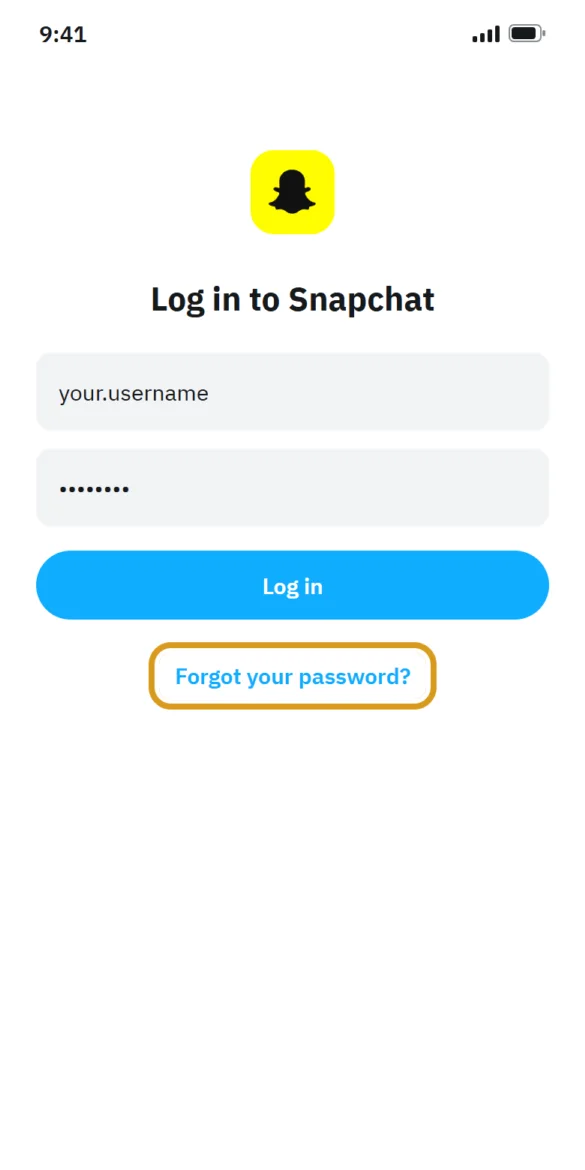
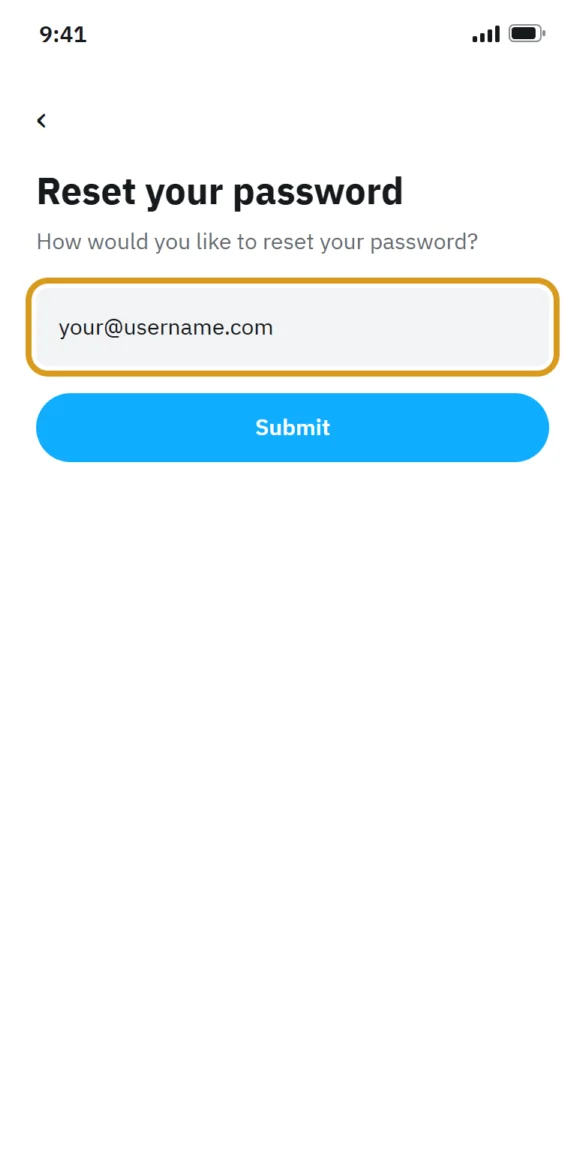
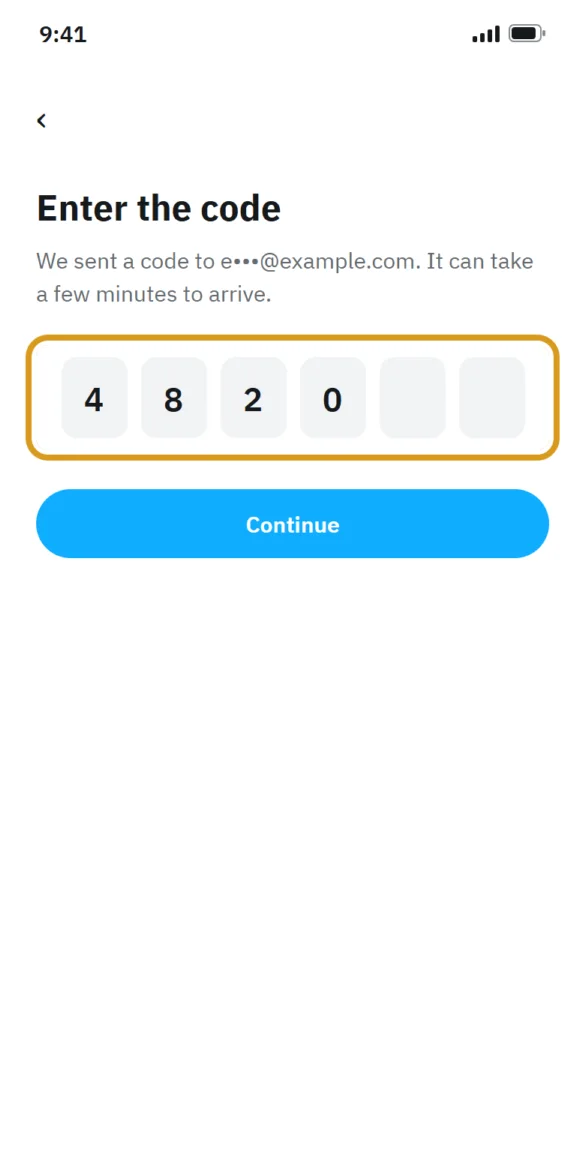
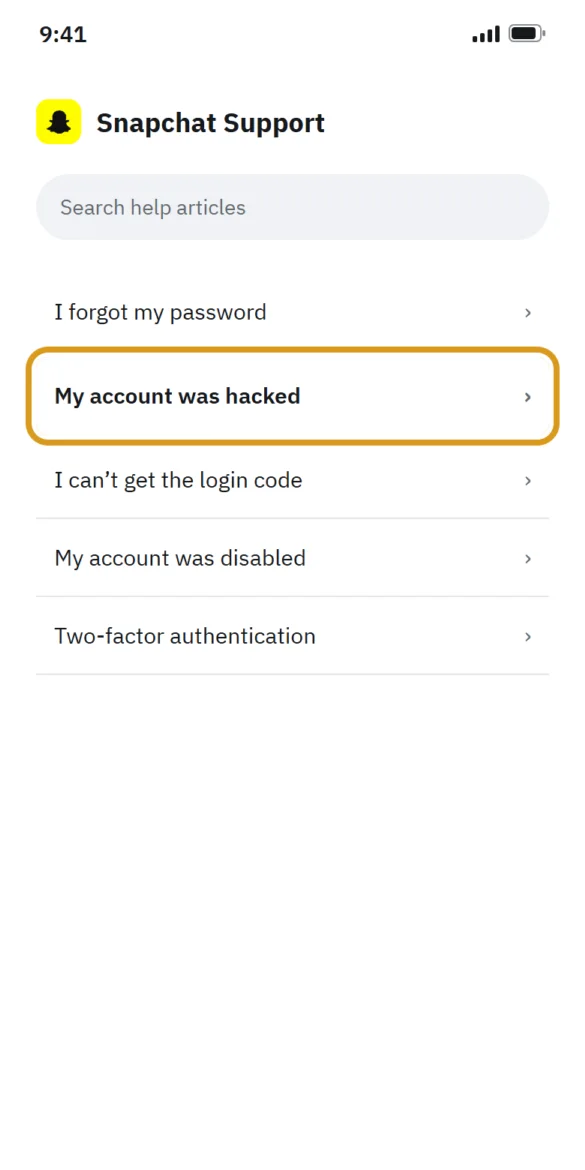
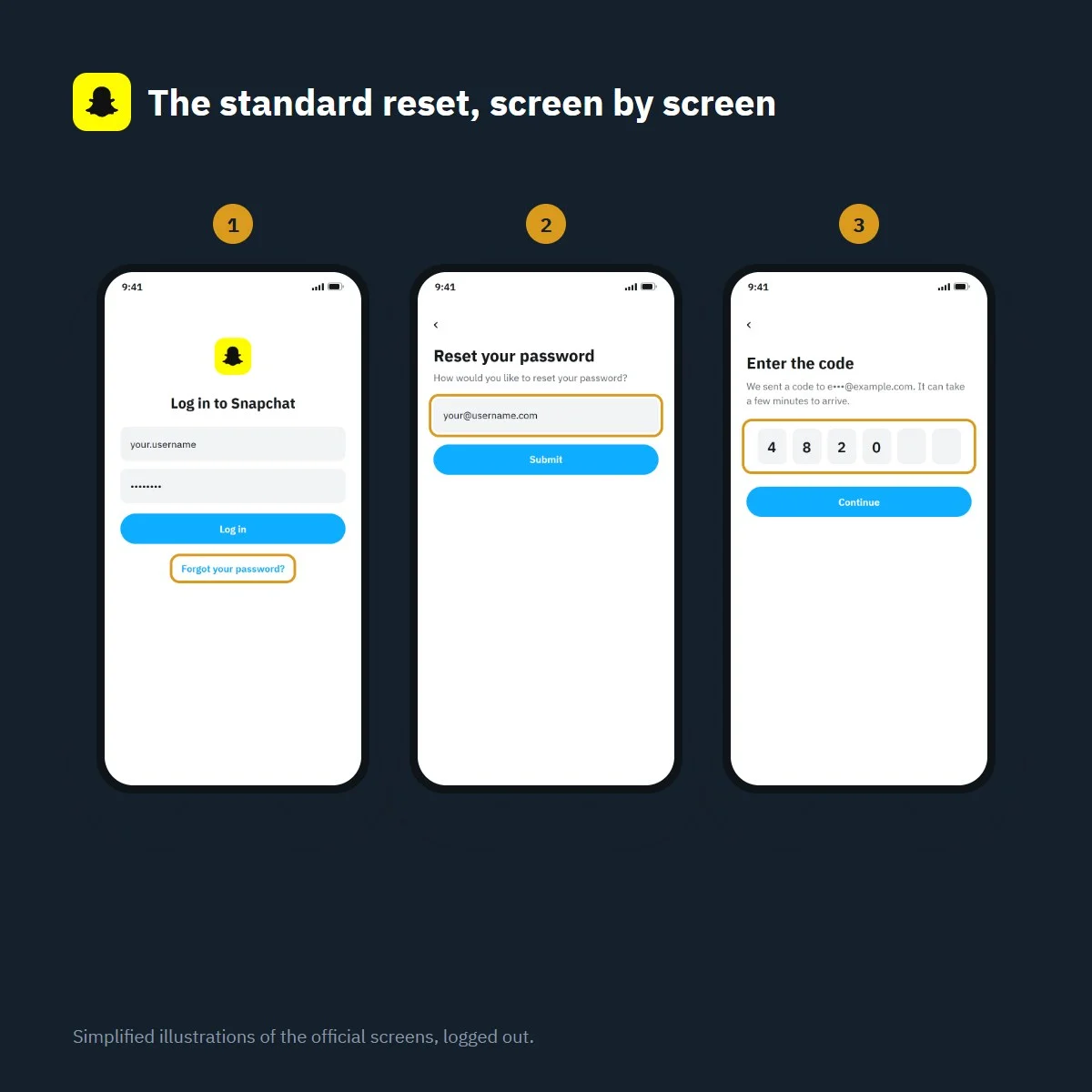
Snapchat password reset in four steps
Simplified illustration of the official screens, logged out. Labels may vary slightly with app version.
What’s inside the method
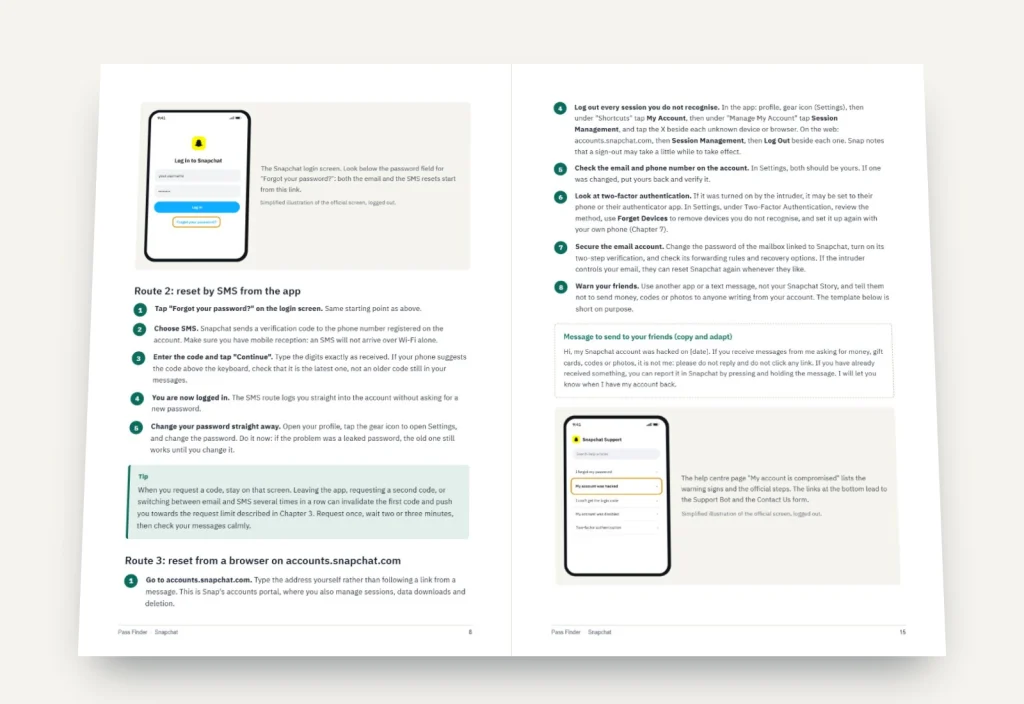
9 chapters, 29 pages. Each chapter ends with a checklist so you know where you stand.
-
01
p. 4
Work out which situation you are in
Read the exact message on your screen and match it to the right route before you try anything.
-
02
p. 7
The standard password reset on iPhone, Android and the web
Email link, SMS code and the accounts portal, step by step, with what you should see at each stage.
-
03
p. 11
When the code or email never arrives
Spam filters, typos, blocked senders, carrier issues and the 24-hour limit after too many requests.
-
04
p. 14
Hacked account: take it back and close every door
Use Snap's change alerts, recover your phone number, end intruder sessions and write a support request that gets read.
-
05
p. 19
Lost two-factor authentication
Recovery codes, linked devices, passkeys and what is realistically possible without any of them.
-
06
p. 21
Locked, disabled, banned or deactivated
Every lock type and SS error code, the lesson and quiz, the one in-app appeal and the 30-day reactivation window.
-
07
p. 24
Protect the account once you are back in
Password manager, passkey, authenticator app, recovery code, sessions and connected apps, in fifteen minutes.
-
08
p. 26
Scams that target locked-out Snapchat users
Fake recovery experts, fake support accounts, paid recovery services and what each one is really after.
-
09
p. 27
If nothing worked
A last checklist, how long to keep trying, and how to start a new account and tell your friends.
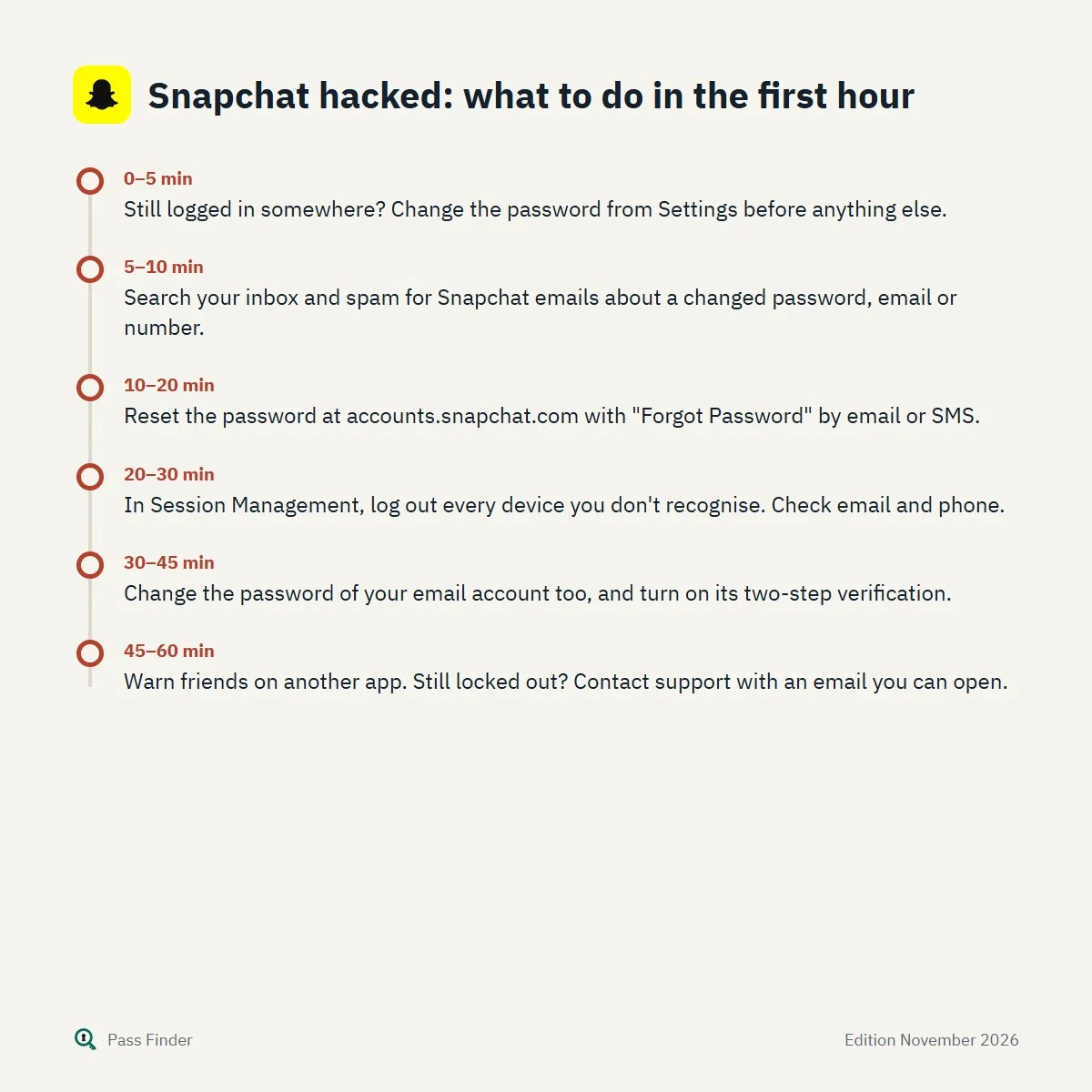
Snapchat hacked: what to do in the first hour
- 0–5 minStill logged in somewhere? Change the password from Settings before anything else.
- 5–10 minSearch your inbox and spam for Snapchat emails about a changed password, email or number.
- 10–20 minReset the password at accounts.snapchat.com with "Forgot Password" by email or SMS.
- 20–30 minIn Session Management, log out every device you don't recognise. Check email and phone.
- 30–45 minChange the password of your email account too, and turn on its two-step verification.
- 45–60 minWarn friends on another app. Still locked out? Contact support with an email you can open.
The Snapchat password reset you just asked for never came, or Snapchat says your account is locked, or a hacked account now shows a display name you never chose. Behind that login screen are your Memories, your streaks, and friends you may only ever talk to on Snapchat. Getting them back depends on one fact more than any other: your access to the email address or the phone number linked to your account.
Snap’s own help centre is blunt about it. If you can reach one of those two, a password reset usually takes a few minutes. If you can reach neither, support cannot reset the password for you, and it cannot change the email or number on your behalf either. Everything on this page, and everything in our method, starts from that rule and puts the official routes in the order that gets you back in without wasting your attempts or your one appeal. It is written for the person who owns the account and only uses the tools Snap provides: the app, the accounts portal at accounts.snapchat.com and the help centre at help.snapchat.com.
First, find out which situation you are in
A forgotten password, a hacked account and a locked account look alike from the outside (you open the app and cannot get in) but follow different routes. Read the message on the screen word for word, then compare it with this list.
- The password is refused and nothing else is wrong. You forgot it, or a saved password is out of date. The standard reset below is all you need.
- The app says the account is “temporarily locked” or shows an SS01, SS03 or SS08 code. Too many failed attempts or unusual activity. Snap’s advice is to check your details and wait 48 hours.
- The message says the account “looks like it was compromised and has been locked just to be safe”. Snap noticed suspicious activity and froze the account to protect it. Treat it as a hacked account.
- The account is “permanently locked”. Snap considers that the Community Guidelines or Terms of Service were broken. The only way back is the in-app appeal, if the pop-up offers one.
- Your email or phone number was changed without you. Someone else has been in the account. You will need Snap’s alert emails, possibly your mobile carrier, and a support request.
- You are asked for a two-factor code you can no longer receive. The rescue is the Recovery Code you may have created earlier.
- You deleted the account yourself. You have 30 days to reactivate it by logging in with your username.
Two error codes deserve a separate mention because they are not about your account at all. SS06 and SS18 mean the device itself has been banned after abuse or repeated violations, and SS07 means the device is banned because too many accounts were used on it. Snap states that support cannot lift a device ban. Trying another password will not change anything.
Snapchat password reset: three official ways to do it
When you still control the email or phone number on the account, Snapchat gives you three routes. They all end in the same place, a new password, so pick whichever matches what you have in hand.
From the app, by email
- Open Snapchat, tap Log In, and on the login screen tap Forgot your password?
- Choose the email option.
- Open the reset email in the inbox linked to your account. If the link does nothing when tapped, copy it and paste it into your browser.
- Type a new password and confirm it.
From the app, by SMS
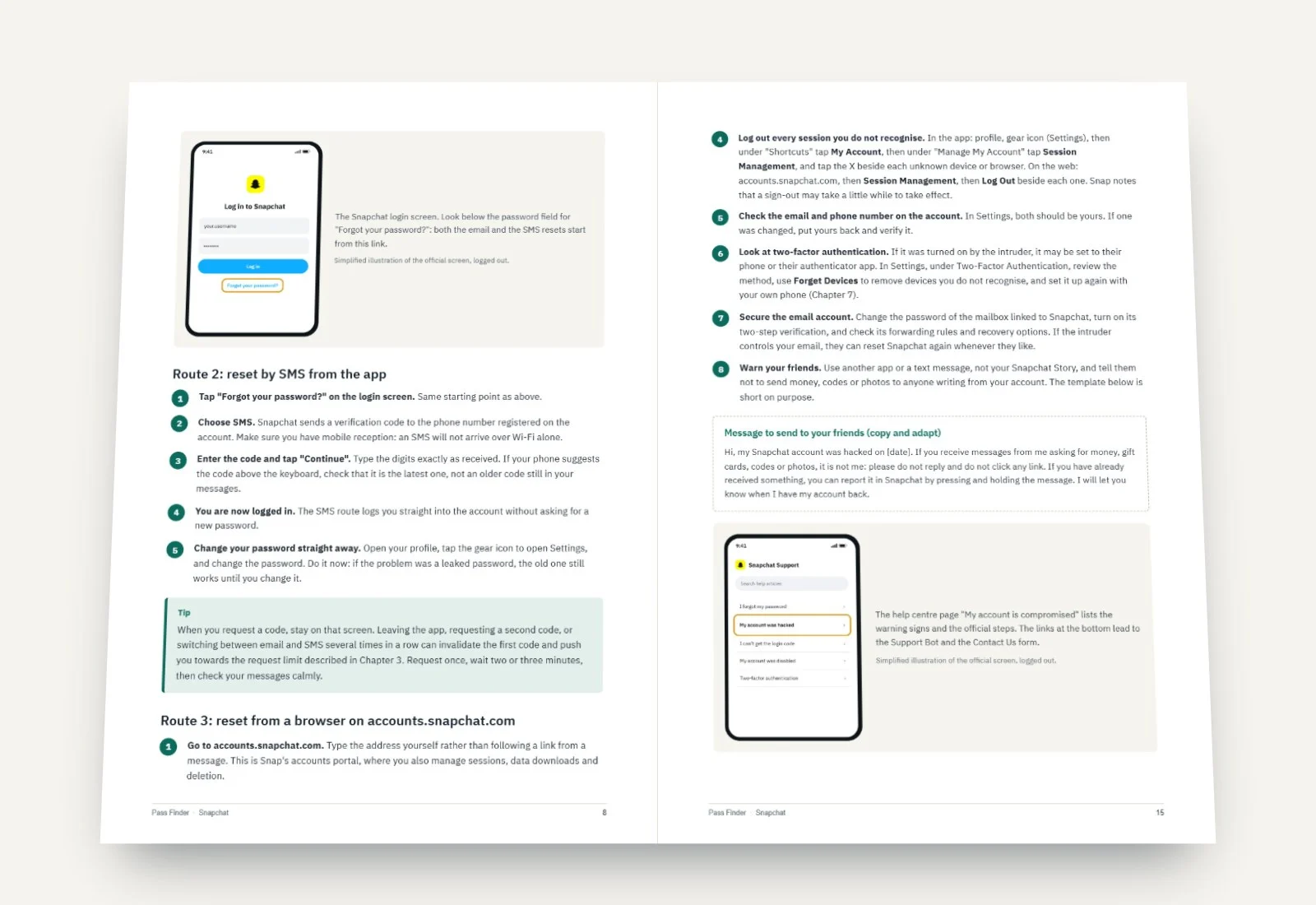
- Tap Forgot your password? on the login screen and choose SMS.
- Enter the verification code sent to the phone number on your account, then tap Continue. You are logged in.
- Go straight to Settings and set a new password, because the SMS route logs you in first and leaves the password change to you.
From a computer, on the accounts portal
- Go to accounts.snapchat.com.
- Enter the phone number or email address linked to the account and click Forgot Password.
- Choose whether the one-time code goes to your phone or your email, then follow the instructions in the message.
The steps are the same on iPhone and Android, since the reset happens inside Snapchat rather than in your phone’s settings. What differs is what happens around it: how your phone filters texts from unknown senders, where your saved passwords live (iCloud Keychain on iPhone, Google Password Manager on Android) and whether a passkey prompt appears when you open the login screen. Snap asks for at least 8 characters, without your name, username, phone number or birthday. Longer is better, and a password manager makes the length painless.
Why the reset code or email does not arrive
This is the most common reason people give up, and most of the time the cause is ordinary. Before you assume the account is gone, go through these checks in order.
The email is in another folder. Look in spam, junk, promotions and any folder your mail rules sort messages into. Search the whole mailbox for “Snapchat”. If you use a work or school address, the organisation’s filter may hold external emails for a while.
You typed a slightly different address or number. One wrong letter in an email or a missing country code on a phone number sends the request to an account that does not exist, or to someone else’s. Try the variants you might have used years ago: an old student address, a number from a previous contract.
Your phone blocks texts from unknown senders. On iPhone, the Messages app can sort texts from unknown senders into a separate list; on Android, Google Messages and some manufacturer apps have spam protection that can hide automated texts. Check those lists, and make sure you have network reception rather than Wi-Fi only.
You asked for too many codes. If Snapchat shows “Too many requests”, it usually means too many SMS codes were requested in a short period. Snap’s help page says to wait 24 hours before trying again. Every extra tap during that time works against you.
The number or email is not verified on the account. Snap allows one verified email and one verified phone number per account, and the same detail cannot be shared between two accounts. If you never verified your email, the reset can only go to the phone, and the reverse.
A reset code is only for you. Snap states that it will never email or text you to ask for your password, your two-factor codes, or to click a login link. If anyone asks you to read back a code you just received, you are being targeted, even if the message carries the Snapchat logo.
What you still have decides your route
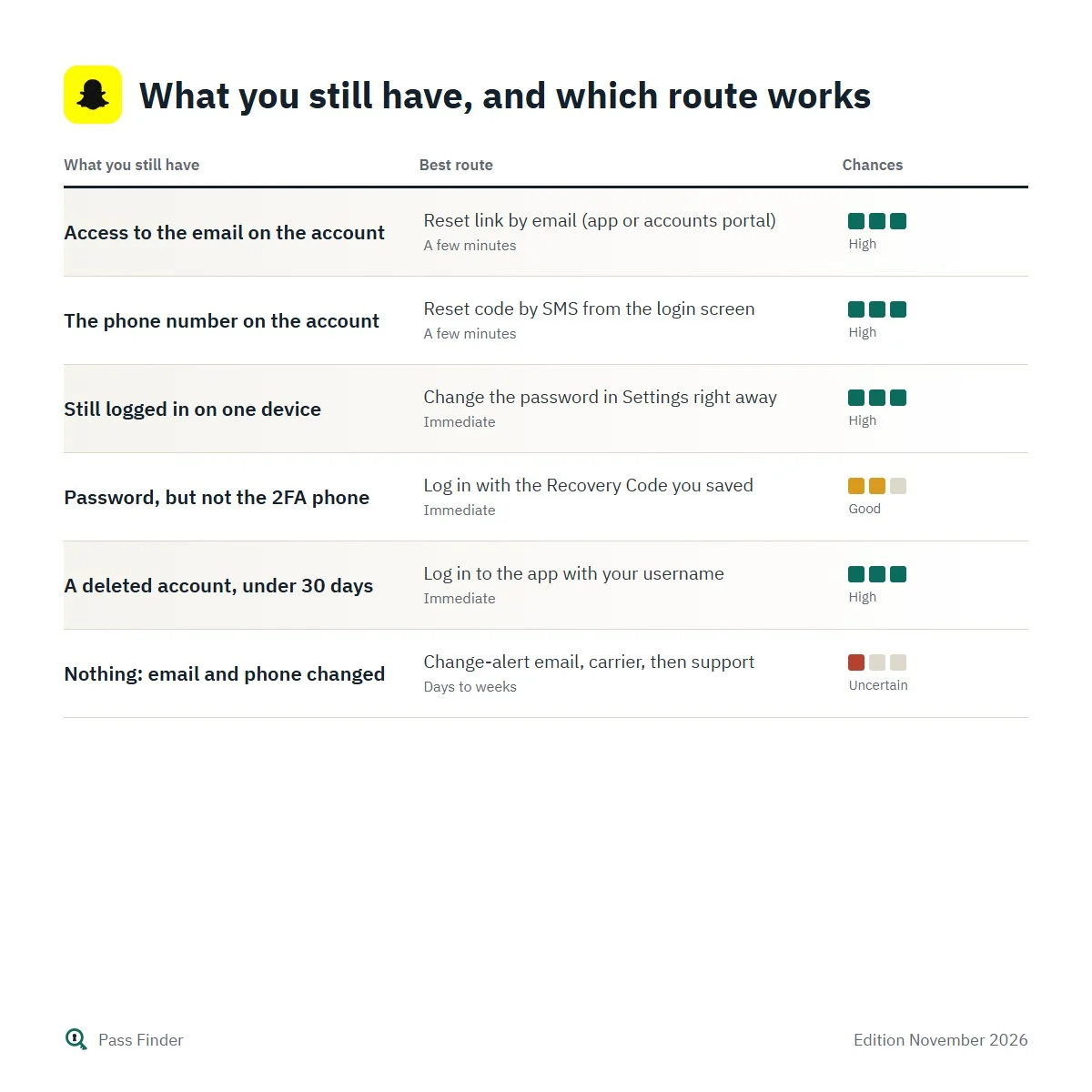
The table below sums up the realistic options depending on what you still control. Read it as a map rather than a promise: the last rows depend on support and on details Snap does not publish.
What you still have, and which route works
| What you still have | Best route | Typical delay | Chances |
|---|---|---|---|
| Access to the email on the account | Reset link by email (app or accounts portal) | A few minutes | High |
| The phone number on the account | Reset code by SMS from the login screen | A few minutes | High |
| Still logged in on one device | Change the password in Settings right away | Immediate | High |
| Password, but not the 2FA phone | Log in with the Recovery Code you saved | Immediate | Good |
| A deleted account, under 30 days | Log in to the app with your username | Immediate | High |
| Nothing: email and phone changed | Change-alert email, carrier, then support | Days to weeks | Uncertain |
Our Snapchat password recovery method follows this map chapter by chapter. It covers the cases the help pages only touch on, such as a hacker who changed both your email and your phone number, a lost two-factor phone with no Recovery Code, or a lock where the appeal button never appears. It includes seven message templates (support, appeals, your mobile carrier, your friends), the waiting times Snap states for each step, and a final chapter for when every route has been tried.
Hacked account: if someone took over your Snapchat
Signs that someone else has been in your account include a login alert from a place or device you do not recognise, a display name you did not set, two-factor authentication you never turned on, Story or Spotlight posts you did not make, friends you did not add, messages your friends say you sent, and a notification about a “Download My Data” export you did not request. Any one of these is reason enough to act now rather than later.
The order matters. If you are still logged in on any device, change the password from Settings immediately, before the intruder notices. Then open your mailbox and look for Snapchat emails about a changed password, email address or phone number. Snap’s help centre notes that these notices may let you reverse the changes; open any link from your own mail app and check that it leads to a snapchat.com address. Next, reset the password with whichever contact detail you still have, open Session Management (in the app: Settings, then My Account, then Session Management; on the web: accounts.snapchat.com) and log out every session you do not recognise. Finally, check that the email and phone number in Settings are yours.
When the hacker has replaced both contact details, the reset can no longer reach you. Two things can still help. If the phone number was taken through a SIM swap, your mobile carrier can return the number to you after checking your identity, and an SMS reset becomes possible again. If not, contact Snap through the help centre: Snap’s page asks you to give an email address you can access and warns that support may ask you to verify that you own the account, for example with your username and the date you lost access. There is no published response time and no selfie or ID verification flow documented for Snapchat, so prepare clear facts and avoid sending several requests.
Secure the email account linked to Snapchat at the same time. Many Snapchat takeovers start with a mailbox that uses an old password. Change it, turn on its two-step verification, and check its forwarding rules for anything you did not create.
Lost two-factor authentication
Two-factor authentication on Snapchat works by SMS or with an authenticator app such as Google Authenticator or Duo. If you lose the phone, the app, or the number, the backup is the Recovery Code, which you can only create in advance: Settings, then My Account, then Two-Factor Authentication, then Recovery Code, then Generate Code. To use it, log in with your username and password and enter the code when prompted. Logging in this way turns two-factor authentication off, so switch it back on once you are in.
Without a Recovery Code, the options shrink. If you used SMS and the number is still yours, a replacement SIM from your carrier brings the codes back. If you used an authenticator app and restored your phone from a backup, the app may have come back with its accounts intact; check before you assume the worst. Snap is clear that it does not provide support for lost Recovery Codes, so we do not pretend there is a hidden way around it.
Locked, banned or deactivated accounts
A temporary lock can sometimes be lifted from the accounts portal: log in at accounts.snapchat.com and select the Unlock option if it appears. Otherwise, wait until the date given in the error message or the email Snap sent. Locks caused by unofficial apps and plugins (Snap names tweaks such as Wicked or IOTA) come with a set duration; remove the plugin, update the official app and wait. For a lock “for another reason”, Snap says to wait 48 hours.
A permanent lock is different. Open the app, try to log in, and look for Appeal Decision in the pop-up. If it is there, you can appeal within six months of the decision; Snap aims to answer in about two weeks and says the review may take up to 30 days. If the pop-up offers a lesson and quiz instead, passing it within 30 days can lift the lock. If no appeal option appears, the lock is not eligible, and support tickets outside the in-app process do not change the outcome. EU residents who disagree with a final decision can also turn to an out-of-court dispute body certified under the Digital Services Act.
Deactivation is the gentlest case. When you delete a Snapchat account, it is deactivated for 30 days first. Log in to the app with your username during that window and it comes back. You cannot log in with your email or phone number, or change the password, while it is deactivated. After 30 days the account is permanently deleted, and if the account was deleted more than 30 days ago, nothing in this page or in our method will bring it back.
Scams aimed at locked-out users
The moment you post “my Snapchat got hacked” anywhere public, you become a target. Self-styled recovery specialists reply within minutes; others pose as Snapchat support in direct messages. Snap’s help centre is explicit: people who say they can lift a lock for a fee are scammers. Snap support will never ask for your password or your My Eyes Only passcode. Real help starts from the app or help.snapchat.com, so treat any “support agent” who writes to you first on Instagram, TikTok, X or Telegram as fake. Paying one of these services usually ends with the money gone and, in the worst cases, your email account compromised too.
If you have already paid someone or given them a code, change the password of your email account now, contact your bank if you paid by card, and keep the messages as evidence. In the UK, Action Fraud takes reports of this kind of fraud; in the US, the FTC accepts reports at reportfraud.ftc.gov, and IdentityTheft.gov if your personal details were misused.
What the method adds to Snap’s help pages
The free information above solves the common cases. Snap’s help centre is reliable, but each article covers one tool, and none of them tells you in which order to try things when the password reset fails, or what to say to support when both your email and your number were changed. The method fills those gaps: the first hour after a takeover minute by minute, the carrier route after a SIM swap, support requests and appeals that state the facts Snap asks for, every lock type by its exact wording, and the realistic wait at each step. Each step is checked against Snap’s official help pages and its logged-out screens, and reviewed when Snap changes its procedure. Once you are back in, a fifteen-minute protection routine (new password, passkey, authenticator app, Recovery Code, sessions, connected apps) closes the doors that were used, and a final checklist covers when to stop waiting and how to start a new account.
If your Snapchat password reset has already failed once, do not keep tapping. Download the Snapchat password recovery method, read the message on your screen against the diagnosis in Chapter 1, and follow the chapter it sends you to.
Questions about this method
Other methods
Pass Finder is an independent publisher. We are not affiliated with, endorsed by or sponsored by Meta Platforms, Snap Inc., TikTok or X Corp. Platform names and logos belong to their owners and only identify the service each method is about.