Instagram Password Recovery Method
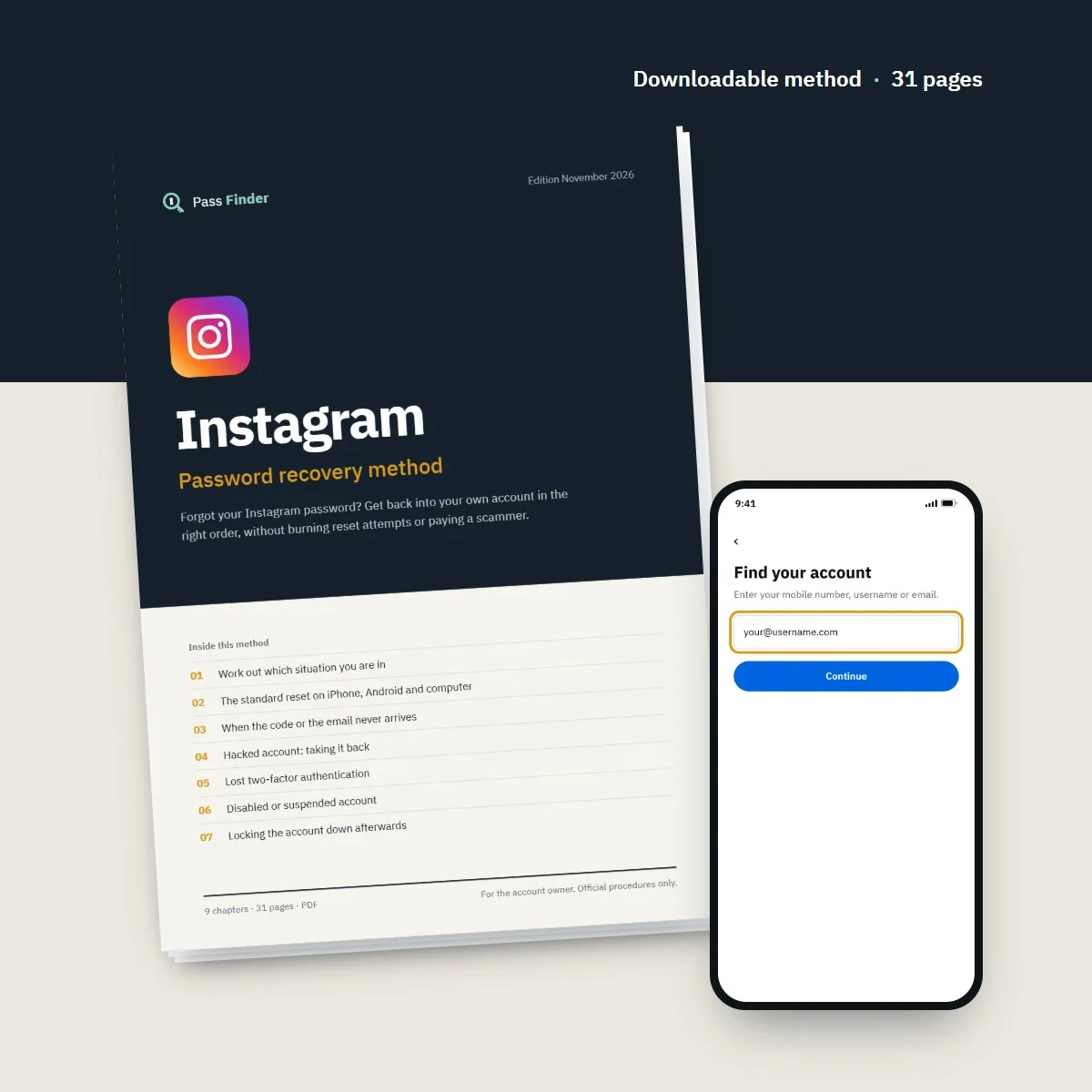
Forgot your Instagram password? Get back into your own account in the right order, without burning reset attempts or paying a scammer.
- Password reset by email, SMS or username on iPhone, Android and web
- What the video selfie check asks for and how to prepare for it
- Lost 2FA: backup codes, trusted devices and the official route
- 8 ready-to-send messages for appeals, support, carriers, followers
- Instant download
- Secure card payment
- 14-day refund if it does not fit your case
For the account owner only. Every method uses the platform’s official tools.
- Format
- PDF document (A4), opens on phone, tablet and computer
- Language
- English
- Delivery
- Download link right after payment, also sent by email
- Updates
- Free updated versions for 12 months
Which situation are you in?
Each case has its own route. The method covers all of them, with the exact screens and the messages to send.
I forgot my password
If you still read the email or phone on the account, a login link gets you back in minutes. Chapter 2 of the method shows the screens on each device.
The reset link or code never arrives
Spam filters, an old typo in the address, a blocked short-code SMS or too many attempts. Chapter 3 checks each cause in order.
Hacked: my email and phone were changed
The security email sent to your old address can reverse the change before you set a new password. If it is gone, Chapter 4 covers the support request and video selfie.
I lost my two-factor codes
New phone, deleted authenticator app, lost SIM. Chapter 5 explains backup codes, trusted devices and what to do without either.
My account was disabled
A disabled notice at login means a review request, not a password problem. Chapter 6 covers the appeal, what to write and realistic waits.
Deleted or deactivated account
A deactivated account comes back when you log in; a deleted one has a short cancellation window. Chapters 1 and 9 of the method explain the limits.
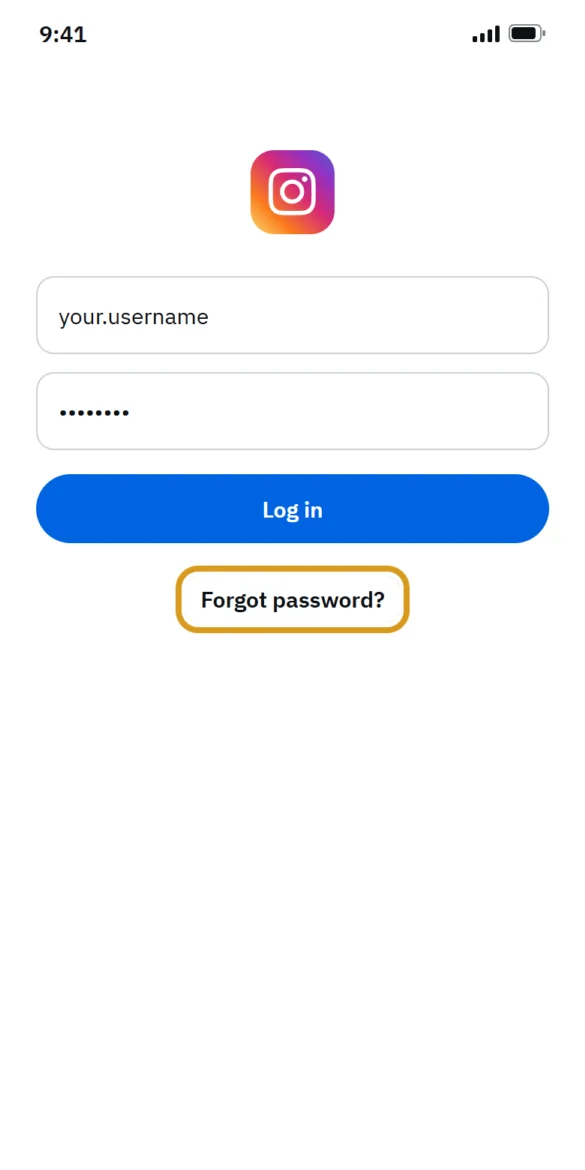
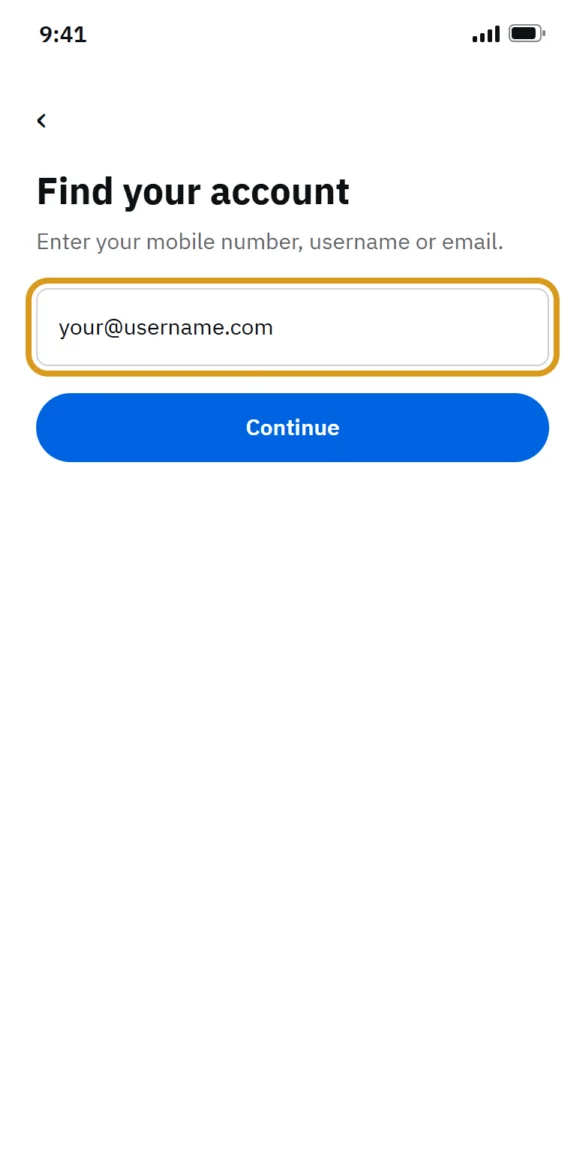
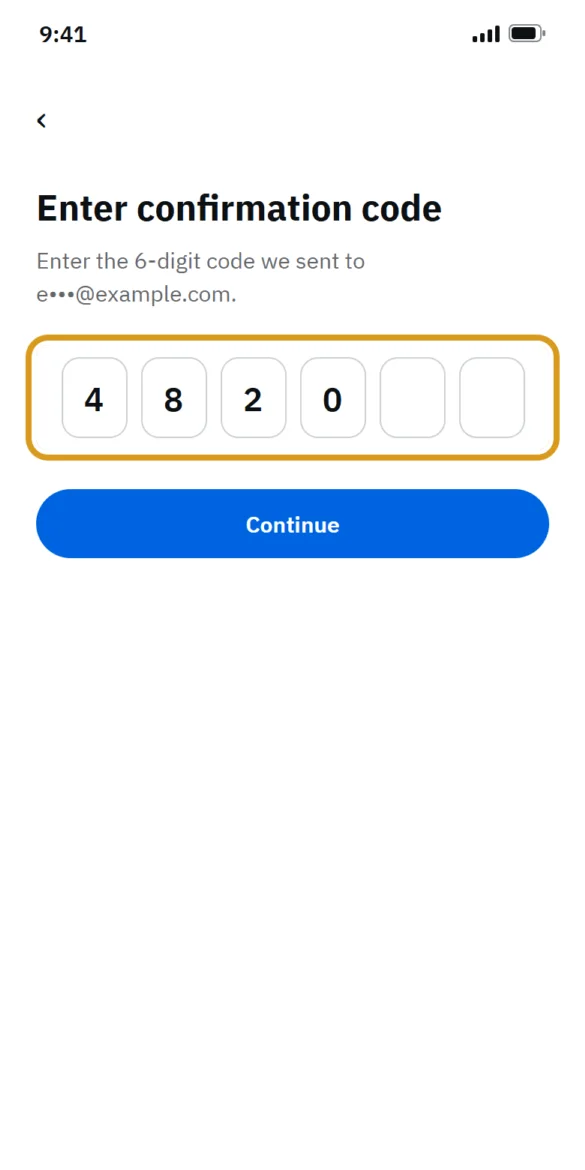
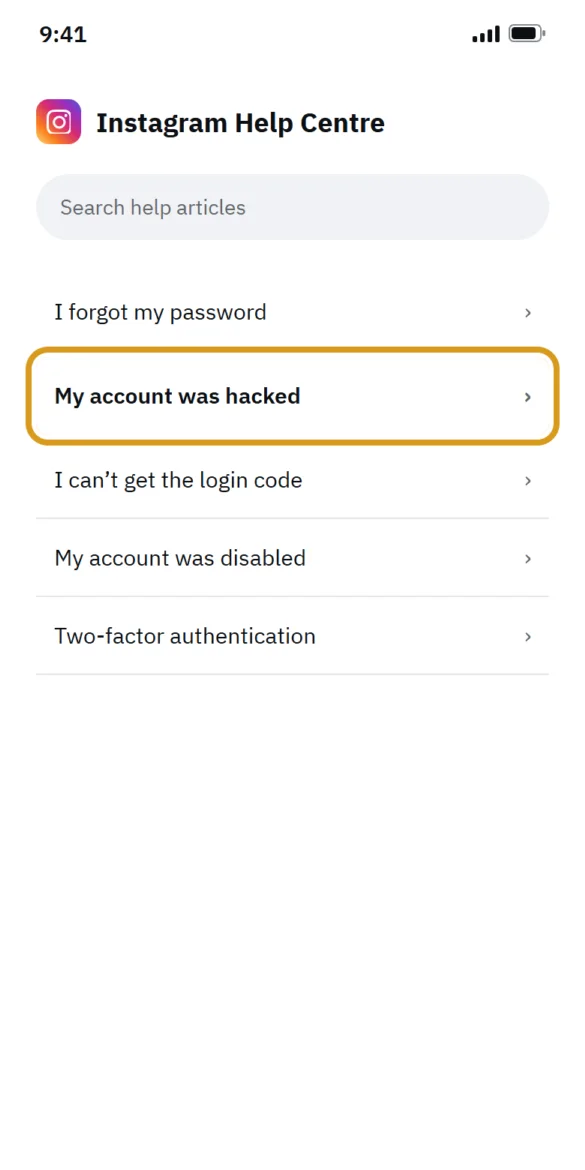
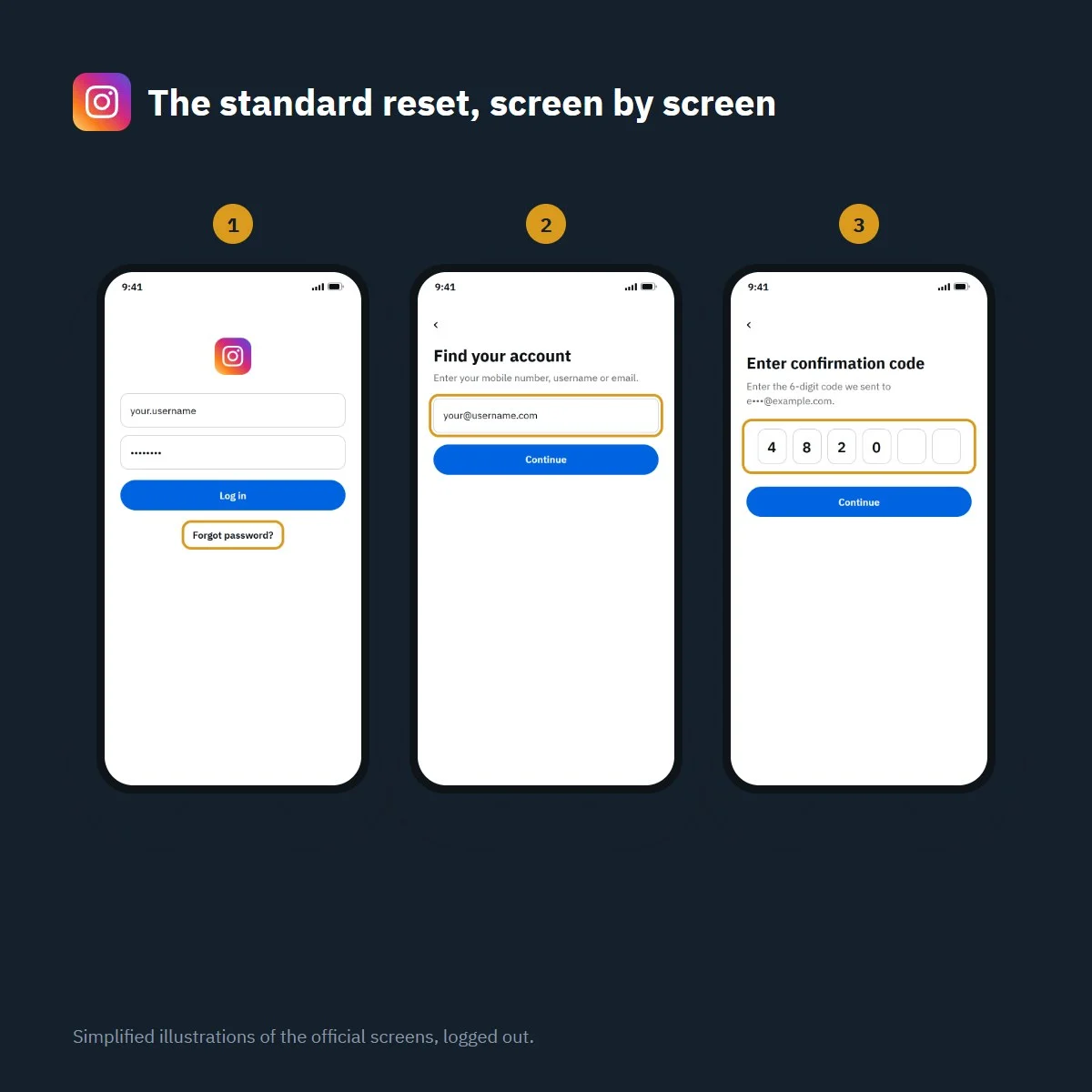
Forgot your Instagram password? The reset in four screens
Simplified illustration of the official screens, logged out. Labels may vary slightly with app version.
What’s inside the method
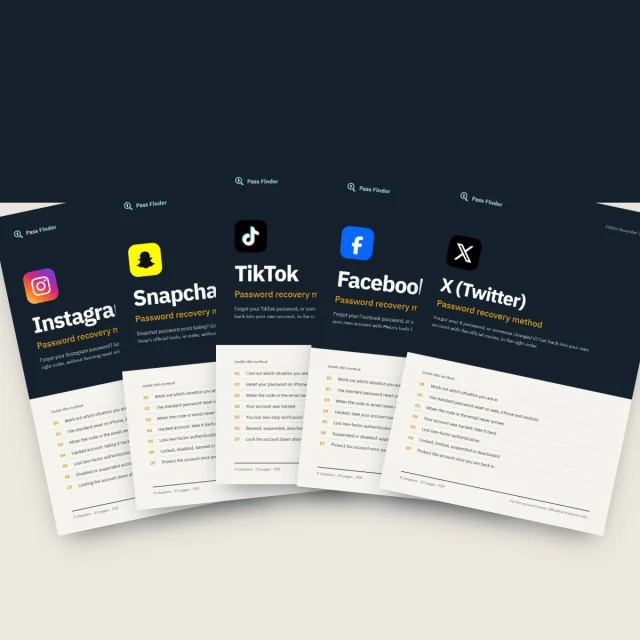
9 chapters, 31 pages. Each chapter ends with a checklist so you know where you stand.
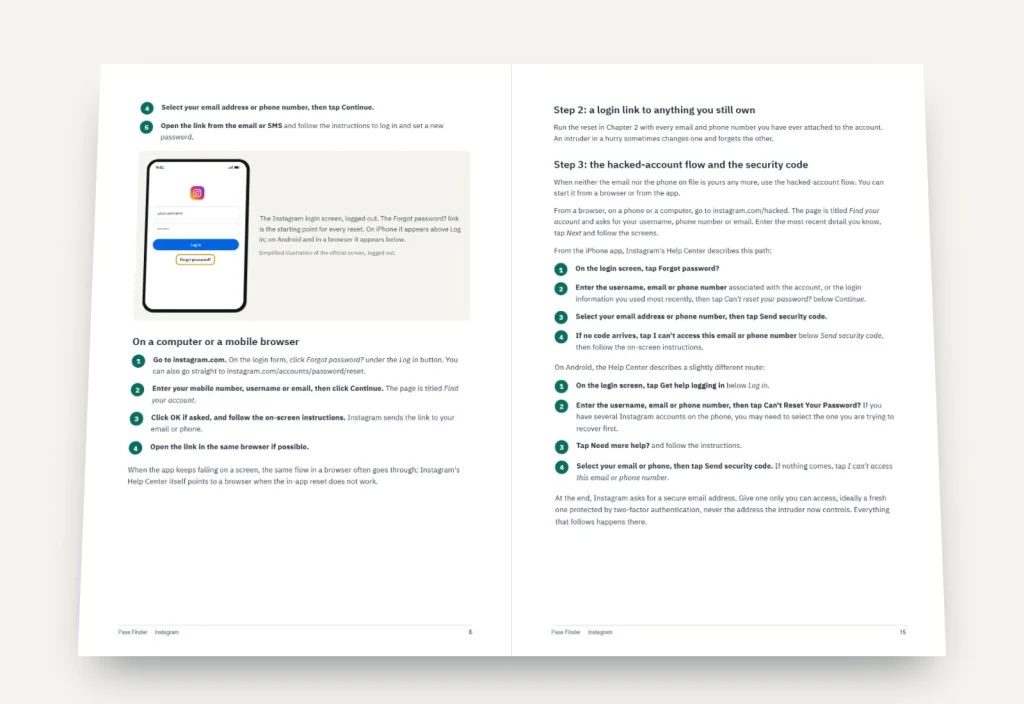
-
01
p. 4
Work out which situation you are in
Six lockouts that look alike on screen but need different routes, and how to tell them apart in two minutes.
-
02
p. 7
The standard reset on iPhone, Android and computer
Forgot password?, login links and the Can't reset your password? option, screen by screen on each device.
-
03
p. 11
When the code or the email never arrives
Spam folders, old typos, blocked SMS, rate limits and how long to wait before trying again.
-
04
p. 14
Hacked account: taking it back
The security email that reverses changes, the support request, identity confirmation and the video selfie.
-
05
p. 19
Lost two-factor authentication
Backup codes, trusted devices, a new phone or SIM, and the official route when you have none of them.
-
06
p. 22
Disabled or suspended account
Reading the notice, requesting a review, what to write, Account Status, and realistic waiting times.
-
07
p. 25
Locking the account down afterwards
Password manager, passkeys, an authenticator app, login alerts, sessions and connected apps.
-
08
p. 27
Recovery scams to avoid
Fake recovery experts, fake support DMs and paid recovery services, and how to check a message is really from Instagram.
-
09
p. 29
If nothing worked
What else to try, how long to keep trying, and how to start a new account and bring your followers with you.
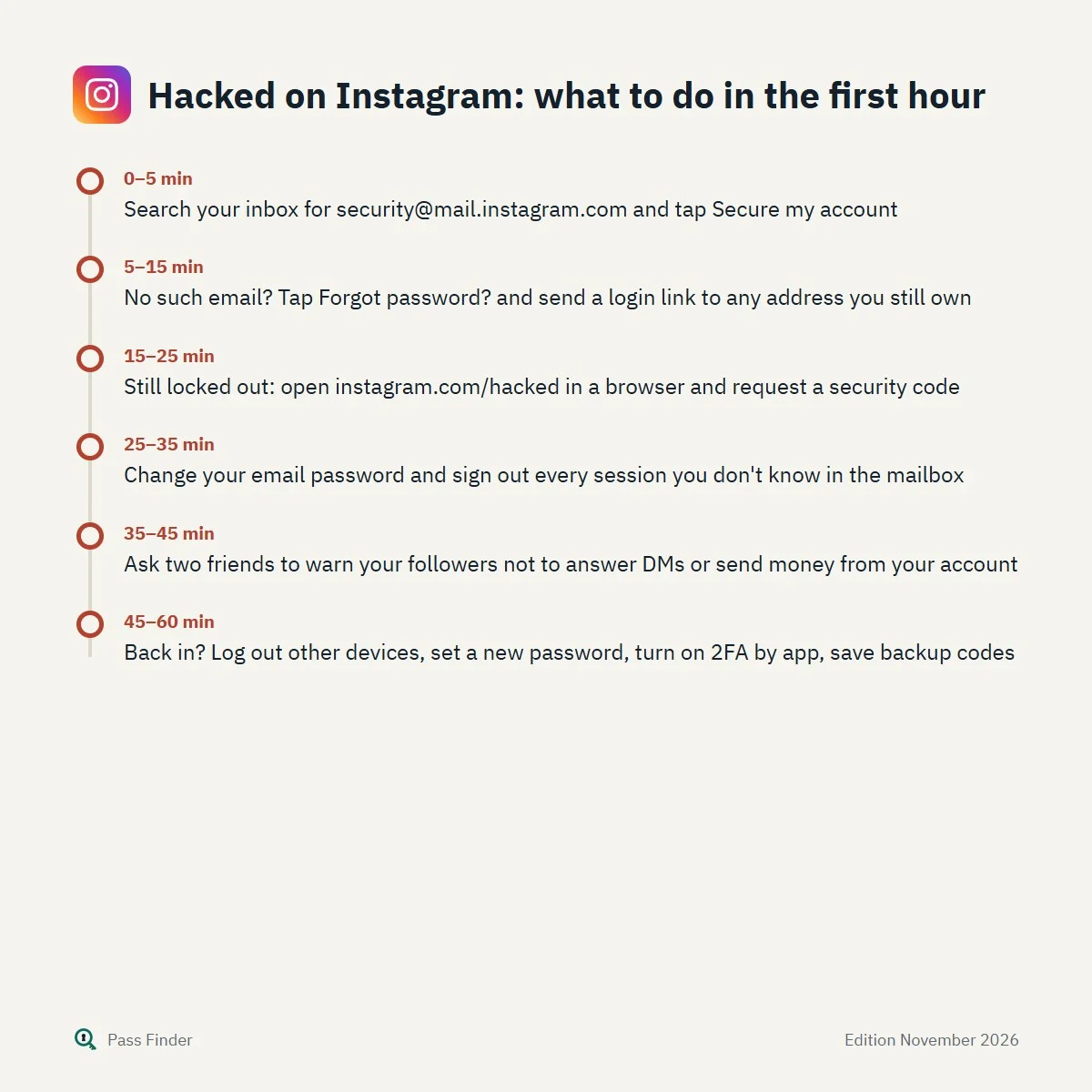
Hacked on Instagram: what to do in the first hour
- 0–5 minSearch your inbox for [email protected] and tap Secure my account
- 5–15 minNo such email? Tap Forgot password? and send a login link to any address you still own
- 15–25 minStill locked out: open instagram.com/hacked in a browser and request a security code
- 25–35 minChange your email password and sign out every session you don't know in the mailbox
- 35–45 minAsk two friends to warn your followers not to answer DMs or send money from your account
- 45–60 minBack in? Log out other devices, set a new password, turn on 2FA by app, save backup codes
You forgot your Instagram password, or the app suddenly refuses the one you have always used, and now years of photos, private messages, contacts and perhaps a business page sit behind a screen you cannot get past. Most people who can’t get into their Instagram account (or “Insta”, as almost everyone types it) are one correct step away from getting back in. The trouble is that the screens look alike whatever the cause: a forgotten password, a reset email that never arrives, a hacked account whose email and phone were changed overnight, or a disabled notice.
The route that works depends on what you still control: the email on the account, the phone number, a device that is still logged in, backup codes, photos of your face on the profile. This page shows how to tell which case you are in, gives the free official password reset that solves the most common one, and lists the reasons it fails, so you can get back in without burning your attempts or falling for a scam. Everything here is for the owner of the account and uses Instagram’s own tools.
Can’t get into your Instagram account? Work out why first
Spend two minutes on diagnosis first. Trying the wrong route over and over is how people end up rate-limited, waiting hours for another attempt.
- Your password is rejected, but the email and phone on the account are still yours. This is a plain reset. It usually takes a few minutes.
- The reset link or code never shows up. The address or number is probably right in your head but wrong somewhere else: an old typo in the email at sign-up, a spam filter, an SMS blocked by your carrier, or too many requests in a row.
- You received an email saying your email address or phone number was changed, and you did not do it. That is a takeover. Speed matters, because the message sent to your previous address contains a link to reverse the change.
- Instagram asks for a login code you cannot get. Two-factor authentication is on, and the phone, SIM or authenticator app that produced the codes is gone.
- You see a message saying your account is disabled or suspended. Your password is fine. Instagram has taken a decision on the account, and the only path is the review offered on that screen.
- The app says the account does not exist, or the username shows no profile. The account may be deactivated (it comes back when you log in), deleted (there is a cancellation window after the request, then it is gone), or the username was changed by someone else.
If you think your username changed, ask a friend to open your profile and send you a screenshot. Instagram’s Help Center suggests exactly this.
Forgot your Insta password? The free reset that solves most lockouts
When you still have the email address or phone number linked to the account, the login link is the official and fastest route. It works the same way on all devices, with small differences in where the button sits.
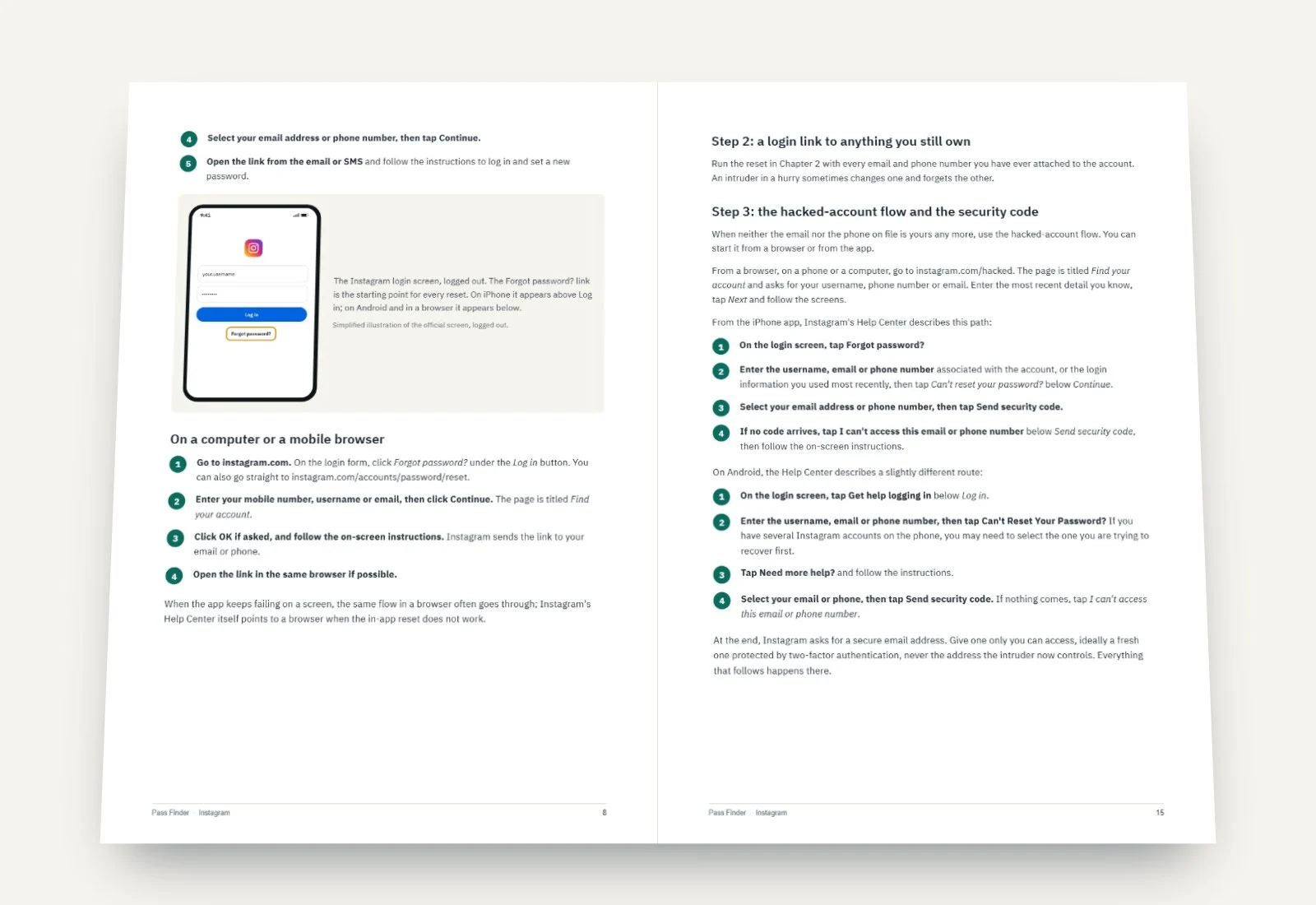
- Open the login screen. On iPhone, Forgot password? is just above the Log in button. On Android, it is below Log in. On a computer, go to instagram.com and click Forgot password? under the login form, or open the reset page directly at instagram.com/accounts/password/reset.
- Type what Instagram knows about you. The field accepts a username, an email address or a mobile number. If you have changed details over the years, use the one you logged in with most recently. Tap Continue.
- Pass the captcha if one appears. Instagram sometimes shows a check to confirm you are a person. It is normal and does not mean anything is wrong with the account.
- Choose where the link goes. If both an email and a phone are on file, you can pick one. Pick the one you can open right now.
- Open the link on the same device if you can. The message contains a login link and a way to reset the password. Instagram’s Help Center is specific here: if a reset link does not work, make sure you chose the option to reset your password in the email rather than the option to log in.
Once you are in, set a password you have never used anywhere else. Instagram says the minimum is six characters and recommends at least eight. A password manager makes a long random one painless.
Why “Forgot password?” does not work for you
When the link fails, the cause is almost always one of the following, and each one has a specific fix.
The email goes to spam, or never leaves Instagram
Check spam, junk, promotions and any old filtering rule, and search your mailbox for “instagram” rather than scrolling. The Help Center also suggests asking your email provider whether mail from the instagram.com domain is being blocked. Work and school addresses are the worst offenders, because their filters are strict and silent.
The address was mistyped at sign-up
This one hurts. If the email was misspelled when the account was created (a missing letter, gmial instead of gmail), every reset goes to an address nobody reads. Instagram states plainly that it cannot give access to an account registered with a mistyped email. In that case the phone number, a linked Facebook account, or the identity route described further down are your remaining options.
The SMS never comes
Text messages from short codes can be blocked by carriers, by prepaid plans with no credit, by roaming abroad, or by a spam-filtering setting on the phone itself. Restart the phone, check that you can receive texts from other services, and ask for the code again only after a few minutes. On some accounts Instagram also offers WhatsApp as a delivery channel for codes.
You asked too many times
Repeated requests trigger a temporary block, with a message asking you to wait before trying again. Requesting another link during that block only extends the wait. Stop, wait at least an hour, and try once, carefully.
The email or phone on the account is no longer yours
If you lost the mailbox, recover it first with your email provider (Gmail, Outlook and others have their own recovery forms). Instagram’s Help Center says it cannot help you get back into your email account, and that if you cannot access the email you registered with and never linked Instagram to Facebook, it is unable to give you access through that route. That is the moment to switch to the support request described below.
Hacked account: the email or phone was changed
When someone changes the email on an Instagram account, Instagram sends a message to the previous address from [email protected]. It contains a link to reverse the change and secure the account (the Help Center calls it secure my account). This is the single most effective tool against a takeover, and it is often ignored because people assume it is phishing. Look for it first, including in spam.
If the attacker also changed the password and the phone, or if that email is too old, the official route is the hacked-account flow. Open instagram.com/hacked in a phone or computer browser, enter the username, email or phone number so Instagram can find the account, and follow the screens. In the app, the same path starts from Forgot password?, then Can’t reset your password?, then a choice to send a security code, and finally I can’t access this email or phone number if none of the details on file are yours any more. You will be asked for a secure email address that only you can access. Instagram writes to that address with the next steps.
The full Pass Finder method covers this flow screen by screen for iPhone, Android and computer, including what to enter at each step, the replies you can expect, the messages to send to your followers while the account is out of your hands, and what to do when the security email has already expired. It also has a complete chapter on lost two-factor codes and one on disabled-account appeals.
When Instagram asks for a video selfie
If the account has photos of you, Instagram may ask for a short video selfie in which you turn your head in different directions. Instagram explains that it uses this because photos and ID documents can be edited, while a moving head confirms there is a real person in front of the camera. The video is compared with the photos on the profile.
Record in good, even light, facing a window rather than having it behind you, without sunglasses or a hat, and follow the prompts slowly. While the review is running, you cannot use the account. If you pass, Instagram emails the secure address you gave, usually with a link to reset the password. If you do not pass, you can submit a new video. According to the Help Center, the video is never visible on Instagram and is deleted within 30 days.
If the account has no photos of you, the process is different: Meta’s support team sends an automatic email asking for the email address or phone number you signed up with and the type of device you used at the time (iPhone, Android, iPad or other). Answer precisely and only from the address you gave.
Instagram does not publish a processing time for these reviews. In practice, replies tend to come within a few days, and some people wait longer or need several attempts. Nobody can promise the outcome.
Two-factor codes you can no longer receive
Two-factor authentication protects the account well, until the phone that receives the codes falls in a river. Before anything else, look for your backup codes: Instagram offers a list of single-use codes when you set up two-factor authentication, and many people saved them as a screenshot or in a notes app without remembering. Any one of them replaces a login code once.
Also check every device where you are still logged in, including an old tablet or a computer browser. A device you previously marked with Trust this device may let you in without a code. From a logged-in device you can then change the phone number, set up a new authenticator app, and request a fresh set of backup codes under Two-factor authentication, Additional methods, Backup codes.
If you moved to a new phone with the same number, the SMS method still works once the SIM is active. If the number itself is lost, ask your carrier for a replacement SIM on the same number before anything else. Without codes, a trusted device or the number, the support request and identity confirmation described above are the remaining route. Be wary of anyone who claims to switch off two-factor authentication for you: Instagram only lets you turn it off from inside the account.
Disabled, deleted or deactivated
These three words mean very different things on Instagram, and the fix for one is useless for the others.
| What you see | What it means | What you can do |
|---|---|---|
| A message saying the account is disabled or suspended | Instagram decided the account broke its rules, or needs to confirm something about you | Log in and follow the on-screen option to request a review. Note any deadline shown |
| Your profile is hidden, but you deactivated it yourself | Temporary deactivation: photos, comments and likes are hidden | Log back in to reactivate. Deactivation is limited to once a week |
| The account was deleted | A deletion request starts a cancellation window, 30 days in most regions | Act within that window. After it, the profile and its content are permanently gone |
A disabled account cannot be fixed by resetting the password, and no outside service can lift the decision. If the review screen gives you room to explain, write a short, factual message: that the account is yours, what you use it for, and, if relevant, that it was hacked before the violation. Then wait: repeated identical requests do not help. Once you are back in, the Account Status page in settings shows removed content and features you can no longer use.
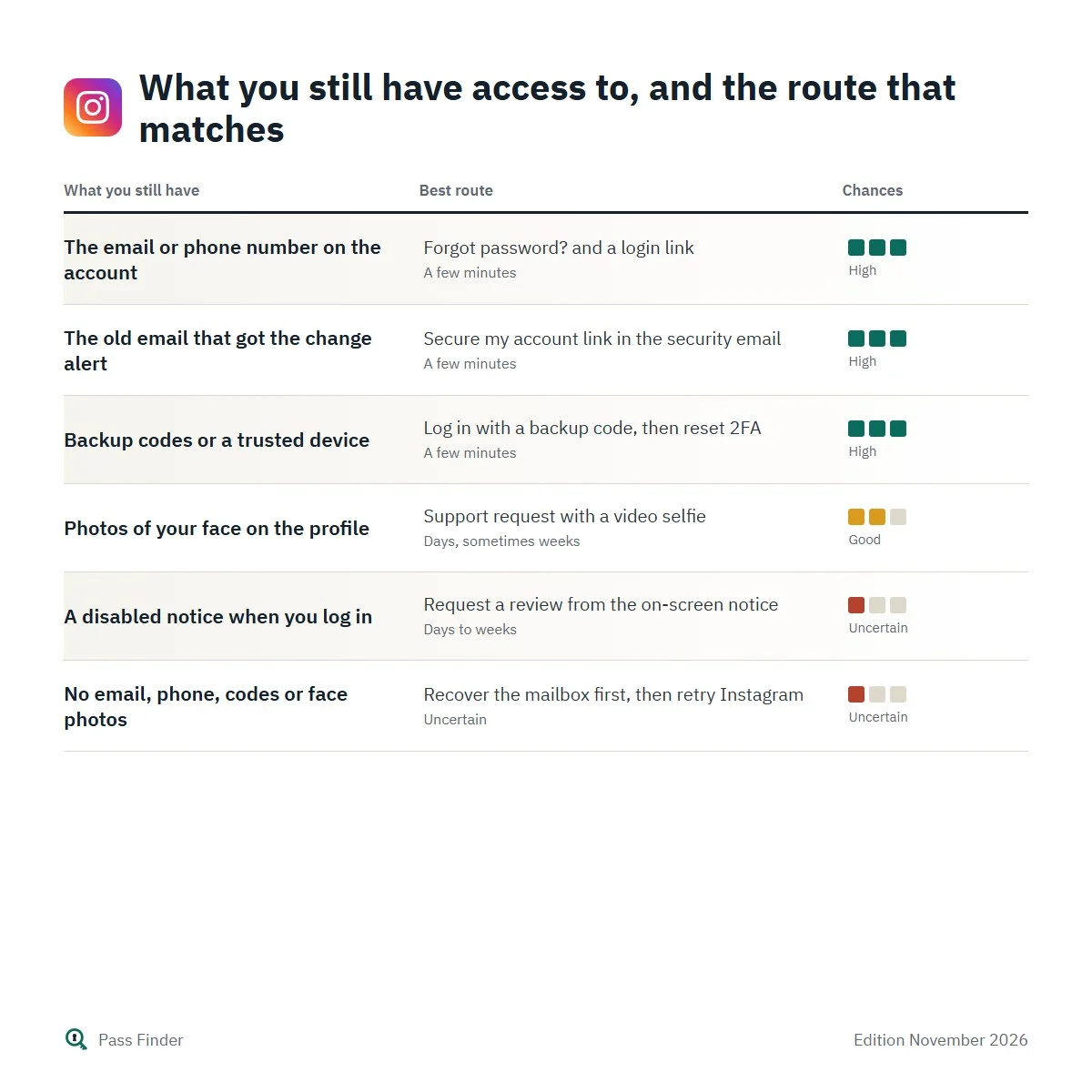
What you still have access to, and the route that matches
| What you still have | Best route | Typical delay | Chances |
|---|---|---|---|
| The email or phone number on the account | Forgot password? and a login link | A few minutes | High |
| The old email that got the change alert | Secure my account link in the security email | A few minutes | High |
| Backup codes or a trusted device | Log in with a backup code, then reset 2FA | A few minutes | High |
| Photos of your face on the profile | Support request with a video selfie | Days, sometimes weeks | Good |
| A disabled notice when you log in | Request a review from the on-screen notice | Days to weeks | Uncertain |
| No email, phone, codes or face photos | Recover the mailbox first, then retry Instagram | Uncertain | Uncertain |
Recovery services that are scams
Instagram never contacts you about account security by direct message. Comments and DMs from “recovery experts”, “Meta support agents” or people who “got their account back in 24 hours thanks to a hacker” are scams. They ask for an upfront payment, sometimes in cryptocurrency, and either disappear or take over whatever account you have left.
Meta also states that it has no general public phone number for customer service, and that phone numbers presented as Meta support may be scams. Real channels are the Instagram Help Center, the support assistant chat inside the app and the Help Center, the hacked-account flow, and, for subscribers, Meta Verified support by chat and email. If you are unsure about an email, open Instagram on a device where you are logged in and check Recent emails under Meta Account or Accounts Center settings: official messages from the last 14 days are listed there. You can report a suspicious email to [email protected].
What the method adds to Instagram’s help pages
Instagram’s Help Center is accurate, but it is written as separate articles, one per tool. It rarely says which route to try first, how long to wait after a failed password reset, what to type when a form leaves you an empty box, or what to do once the security email has expired. The Pass Finder method puts those pieces in order: nine chapters, with each route laid out screen by screen for iPhone, Android and computer, including the newer Meta Account menus that are gradually replacing Accounts Center. Each step is checked against Instagram’s official help pages and its logged-out screens, and it tells you what Instagram usually answers at each stage and how long that tends to take.
- A diagnosis chapter that sorts six lockout situations in two minutes.
- Delivery problems in detail: spam rules, carrier blocks, rate limits, old typos.
- The full hacked-account sequence, including the video selfie and identity email, and the first-hour checklist.
- Lost two-factor authentication: backup codes, trusted devices, new phone, new SIM.
- Disabled accounts: the review request, what to write, and what to expect.
- Eight messages you can copy and adapt: for your followers, your carrier, the identity email, Meta Verified support, the review screen and the EU contact form.
- A lock-down chapter (passkeys, authenticator app, login alerts, sessions, connected apps) and a final “if nothing worked” plan, including how to restart and bring your followers to a new account.
If you have already tried “Forgot password?” and you are still outside your account, the method picks up exactly where this page stops. Download the Instagram password recovery method, open Chapter 1 and answer the two-minute diagnosis: it tells you which chapter to follow, and in which order, to get back into your own account.
Questions about this method
Other methods
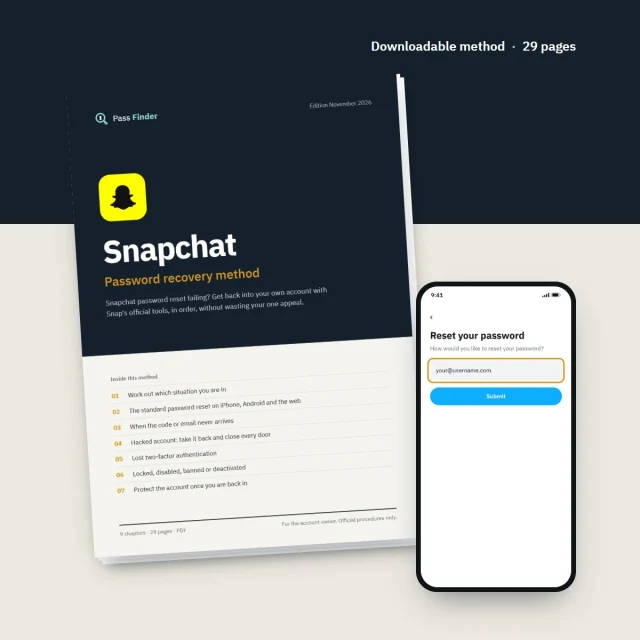
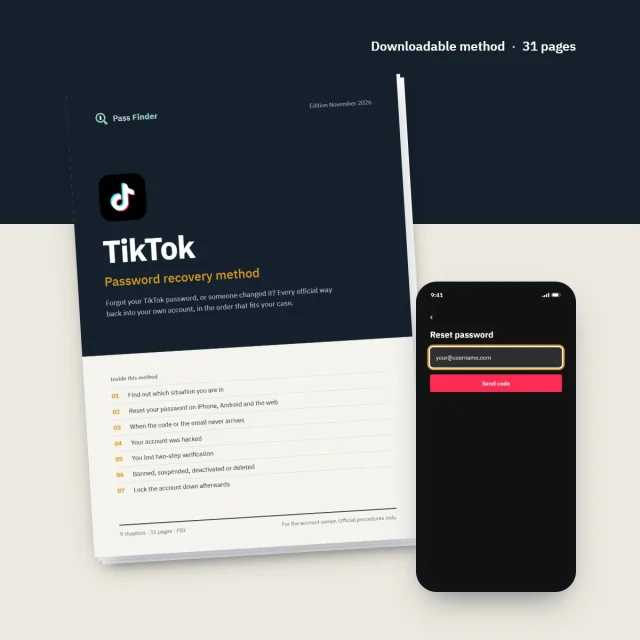
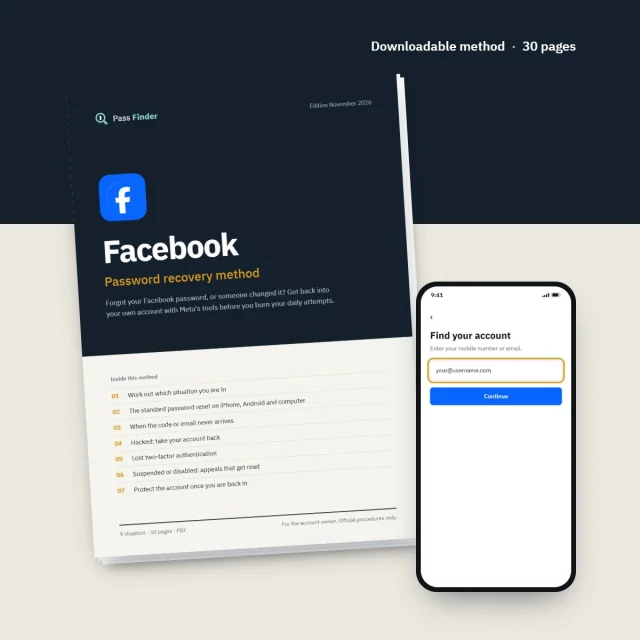
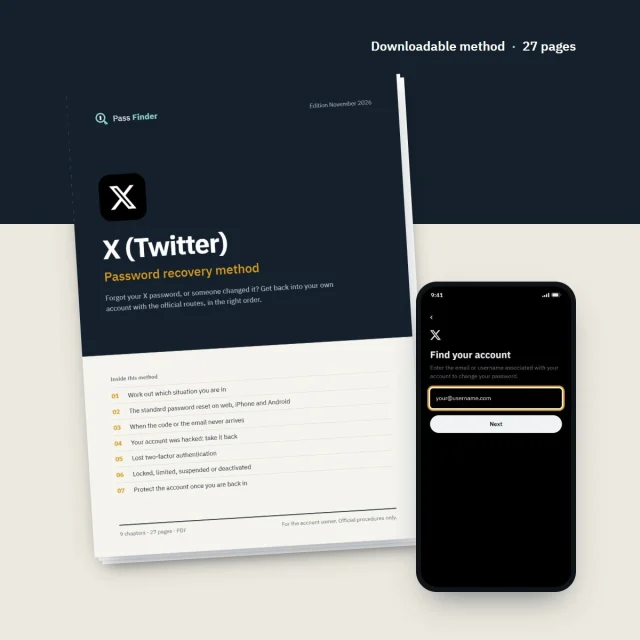
Pass Finder is an independent publisher. We are not affiliated with, endorsed by or sponsored by Meta Platforms, Snap Inc., TikTok or X Corp. Platform names and logos belong to their owners and only identify the service each method is about.